


New Drag & Drop Booking Form Builder
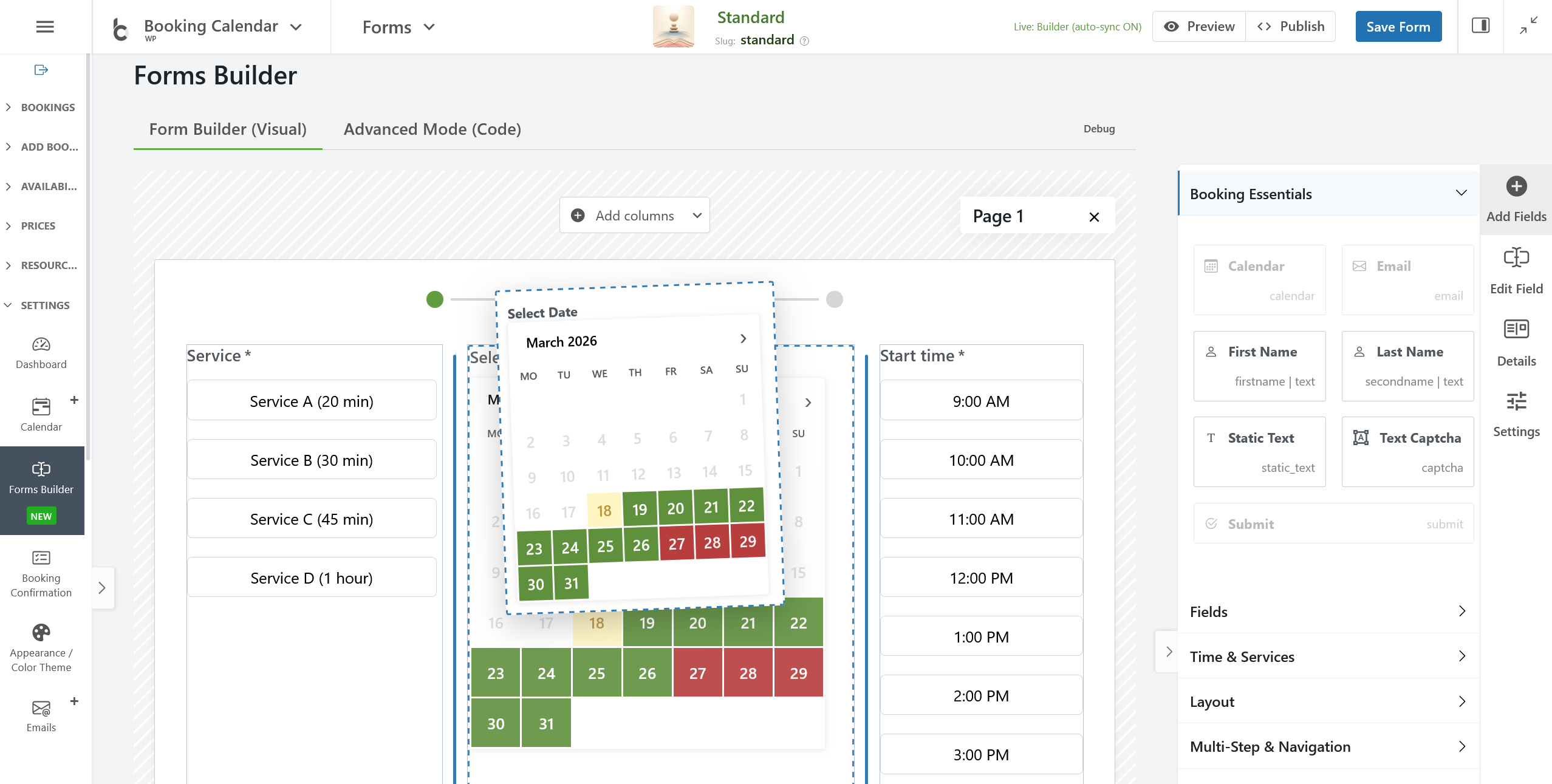
- • NEW / BETA: Introduced the new Drag & Drop Booking Form Builder for visually creating booking forms without manually editing form code.
- • Build forms visually: Drag fields into the canvas, arrange the layout, and see the result instantly in the live preview.
- • Faster and easier workflow: Create modern booking forms without working with complex manual shortcodes.
- • Available in all versions: Booking Calendar now supports multiple custom booking form configurations in all versions, including the Free version.
Create Booking Forms, Contact Forms, and Inquiry Forms
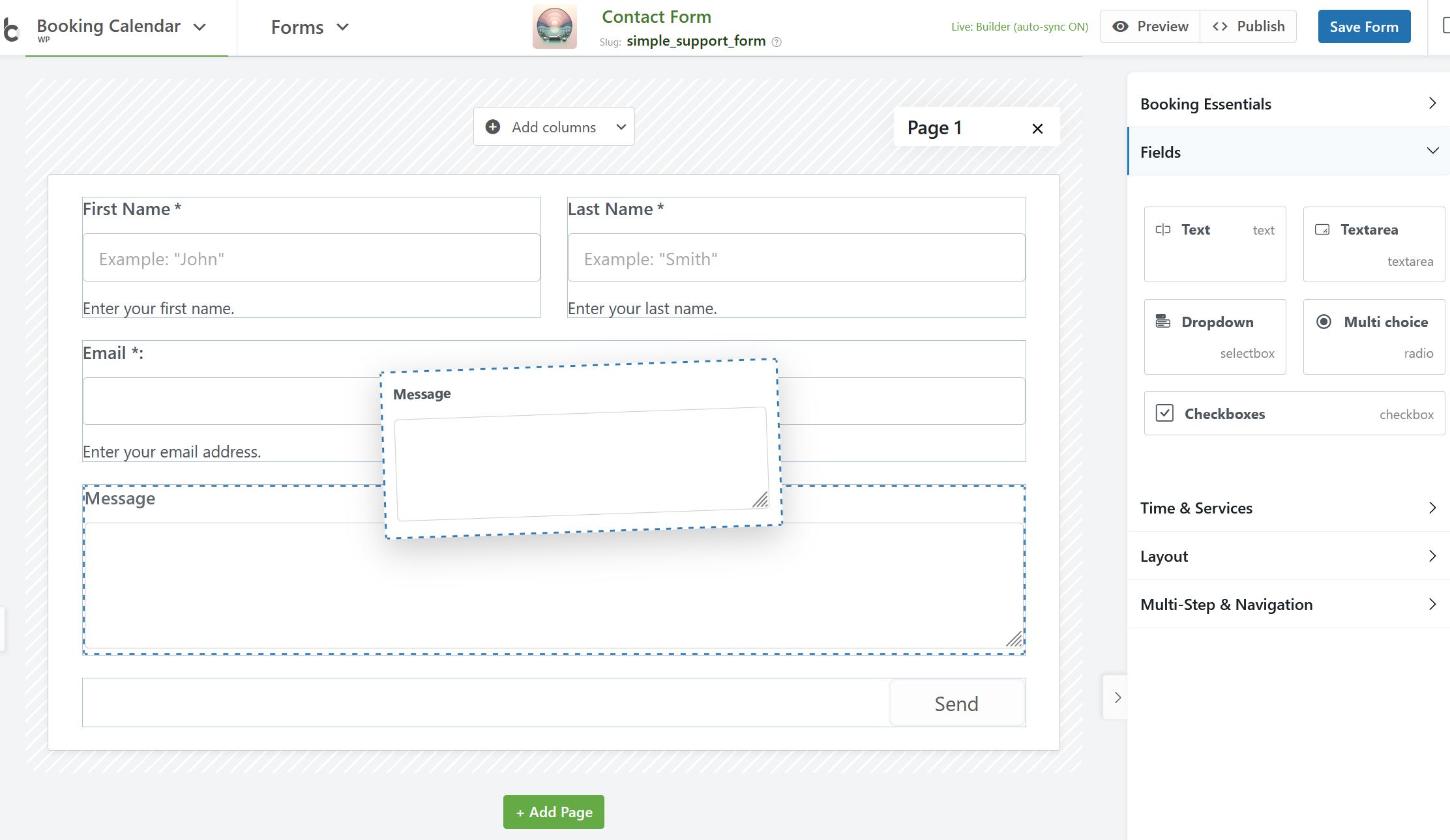
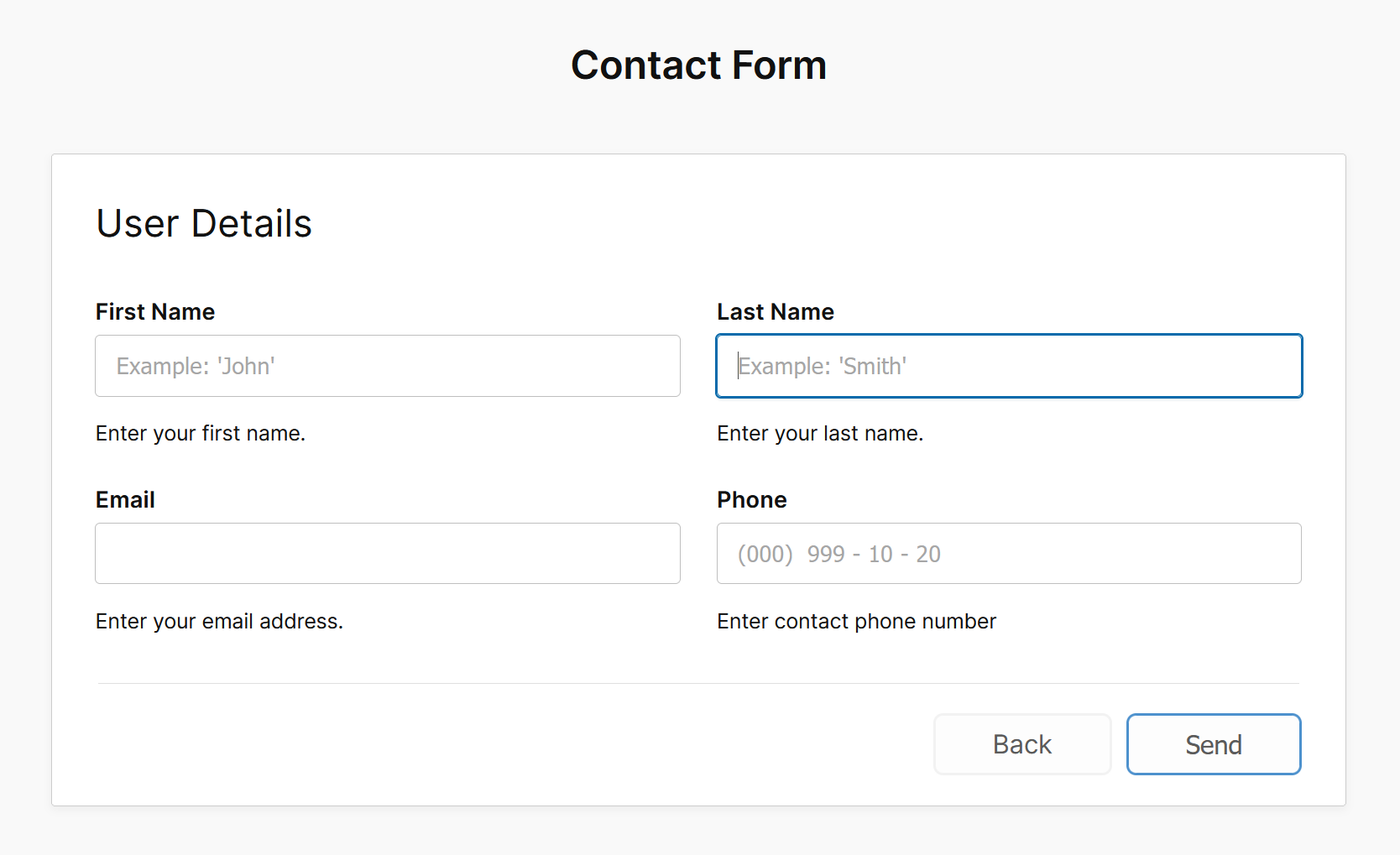
- • NEW: Added support for Contact Forms / Inquiry Forms / Request Forms — the calendar is now optional.
- • Use Booking Calendar as a contact form alternative: Create forms without booking dates and manage all submissions inside Booking Calendar.
- • Ready-to-use templates: Start faster with predefined templates for booking, contact, and inquiry forms.
- • Flexible start: Create a form from a template or begin with a blank canvas for full control.
Powerful Visual Layout Builder
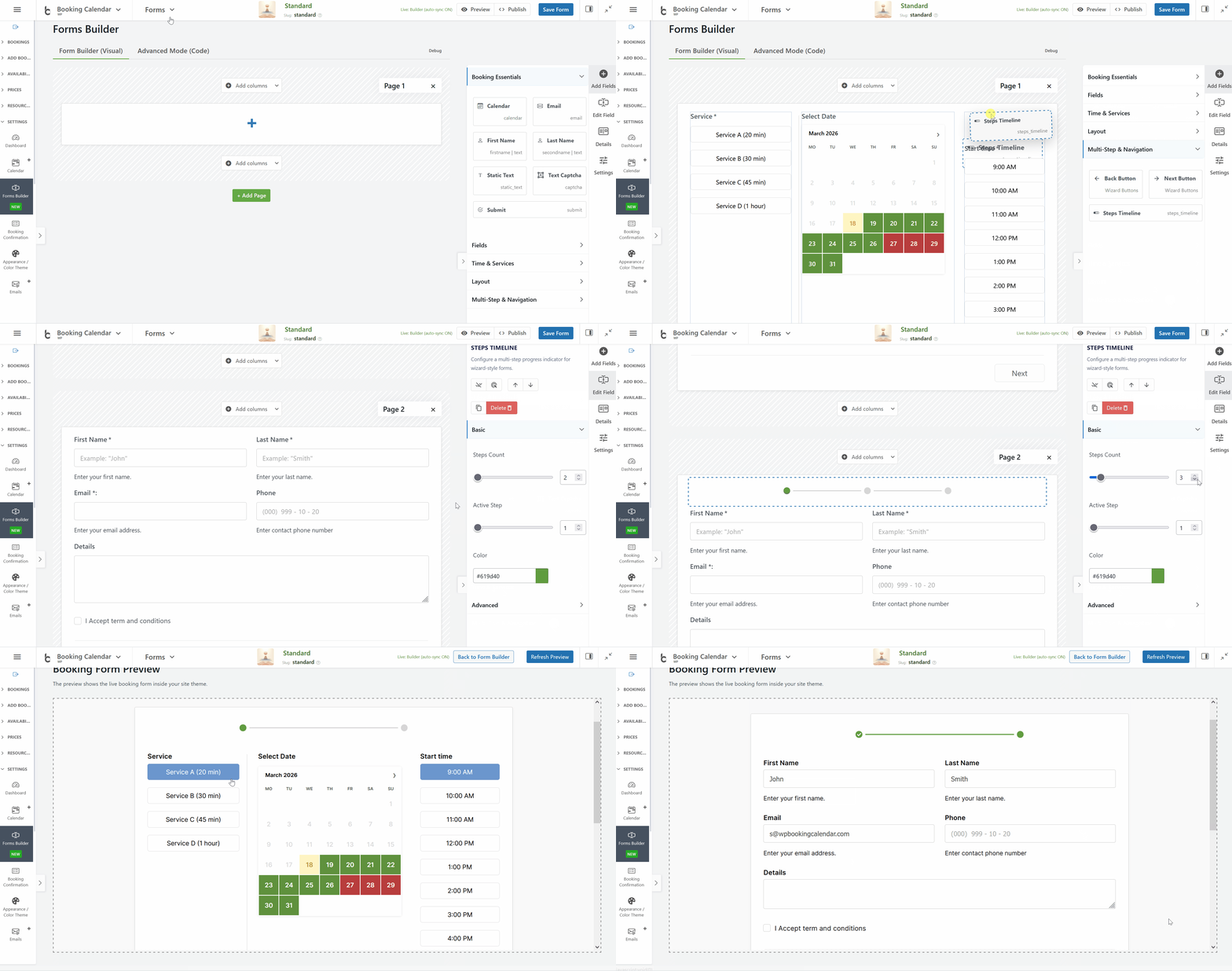
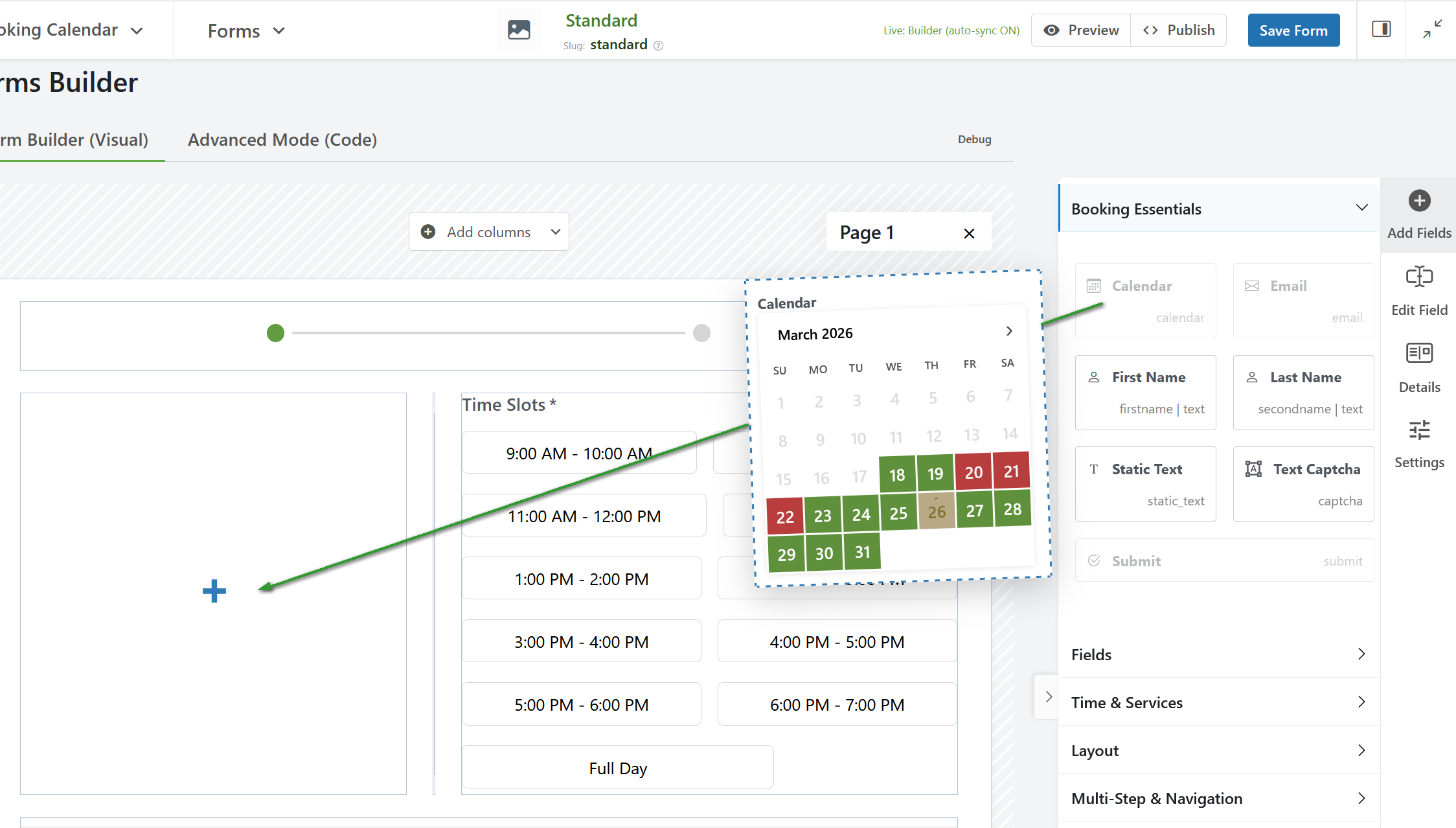
- • Drag & drop fields from the Fields palette directly into the form canvas.
- • Live visual preview while building and editing the form.
- • Rows and columns layout for clean and structured form designs.
- • Nested sections (up to 5 levels) for advanced multi-row and multi-column layouts.
- • Ready section layouts with 1, 2, 3, or 4 columns.
- • Column resizing with visual resizers for precise control of layout widths.
- • Multi-page forms for creating step-by-step wizard-style booking forms.
- • Drag & drop sorting of sections plus Move Up / Move Down controls for faster layout management.
Smart Editing and Form Controls
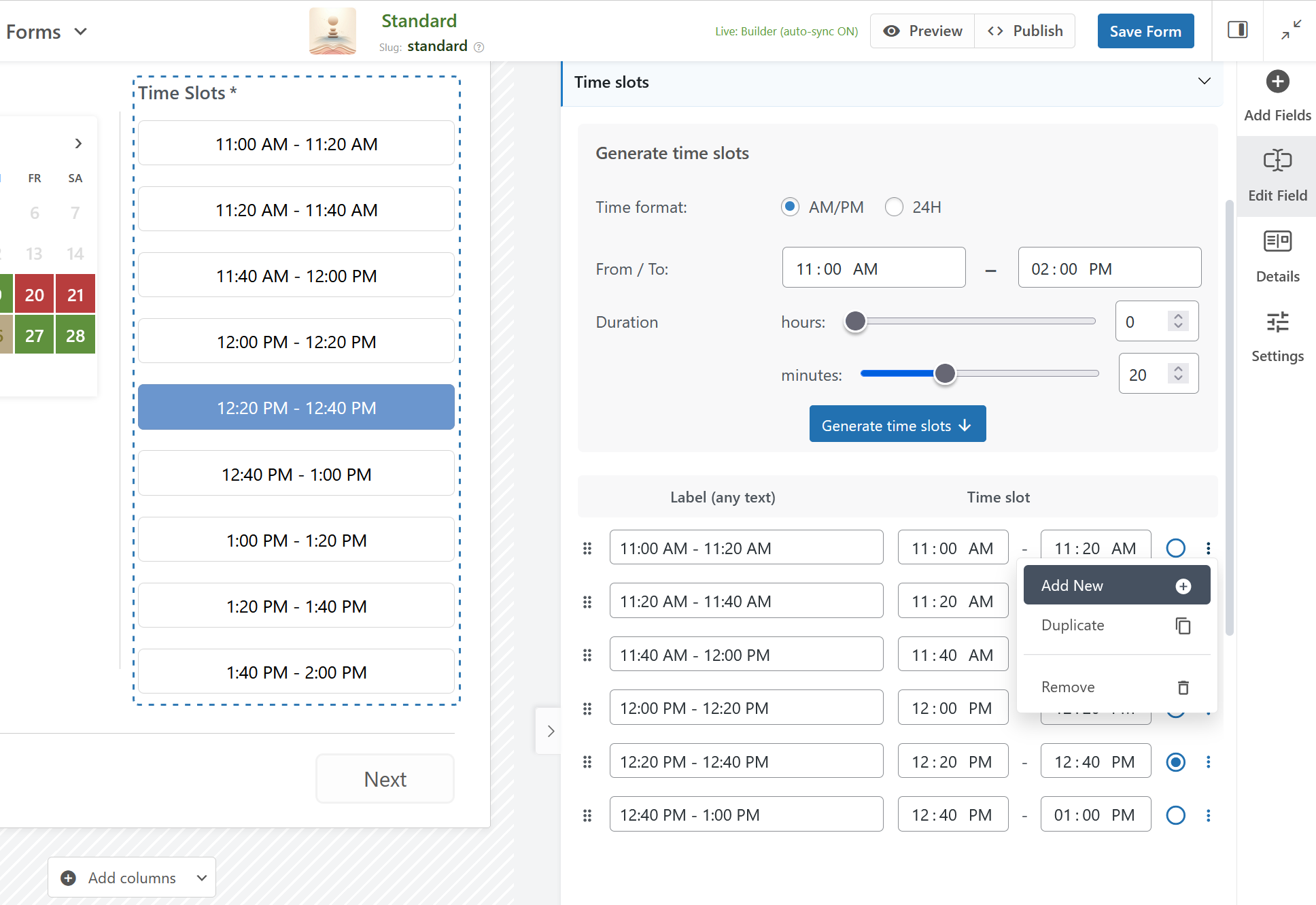
- • Right sidebar inspector: Easily edit field and section settings in a clear visual interface.
- • Field usage limits: The Builder automatically prevents adding one-time fields, such as the Calendar field, more than once.
- • Responsive-friendly column width control with layout protection for more stable form structure.
- • Improved visual editing controls for easier field, section, and layout management directly inside the canvas.
Better Form Management and Reuse
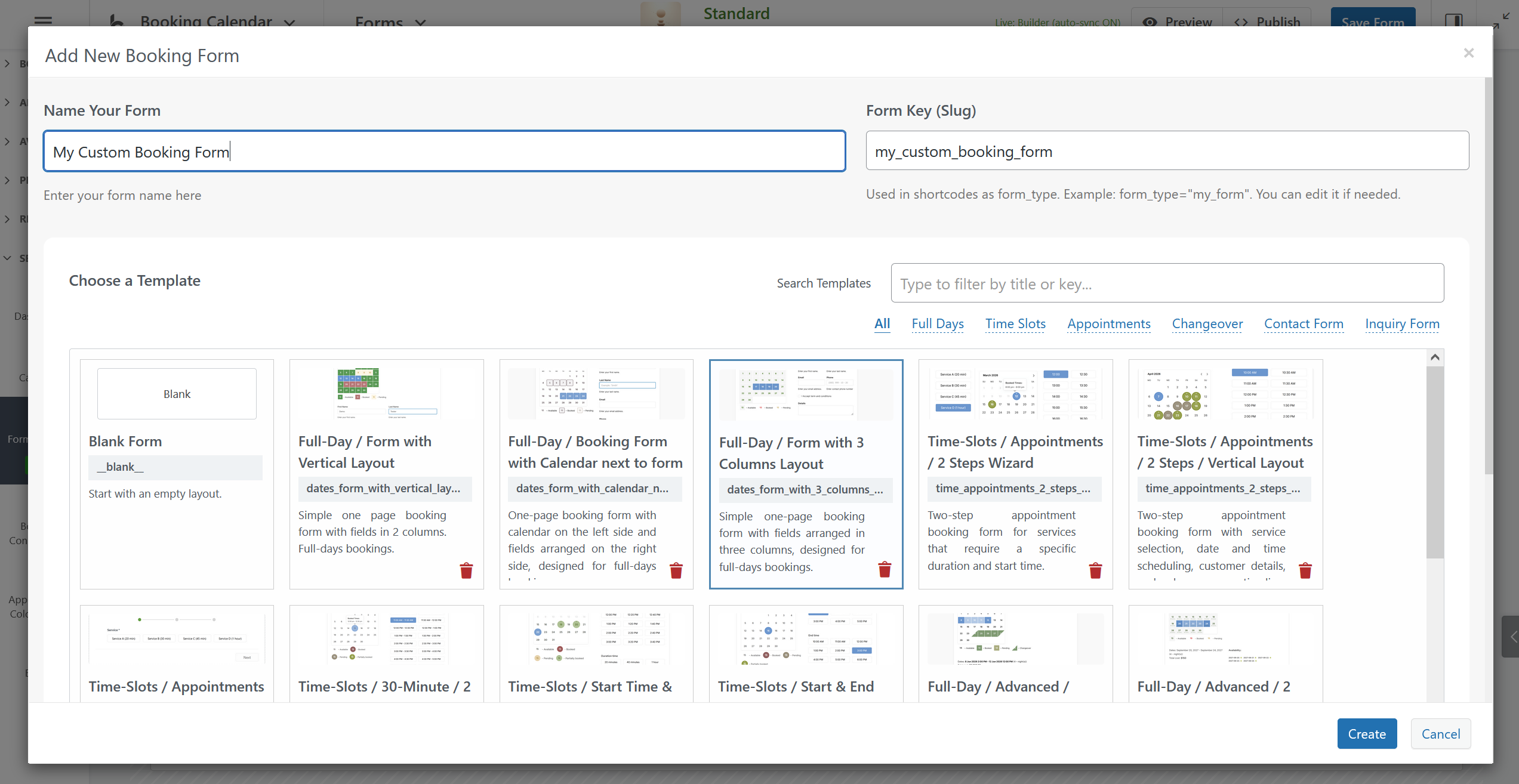
- • Predefined templates: Start building your new booking form with ready-made templates.
- • Save and restore complete form layouts including pages, sections, columns, and fields.
- • Duplicate existing form configurations to create similar forms much faster.
- • Save As workflow: Create a new form based on an existing layout and settings.
- • Flexible form configuration management for creating, saving, loading, organizing, and previewing custom forms.
- • Form details management: Set a custom form title, slug, description, and image.
- • Media library integration for selecting a custom image for each form configuration.
Preview, Import, and Flexible Workflow
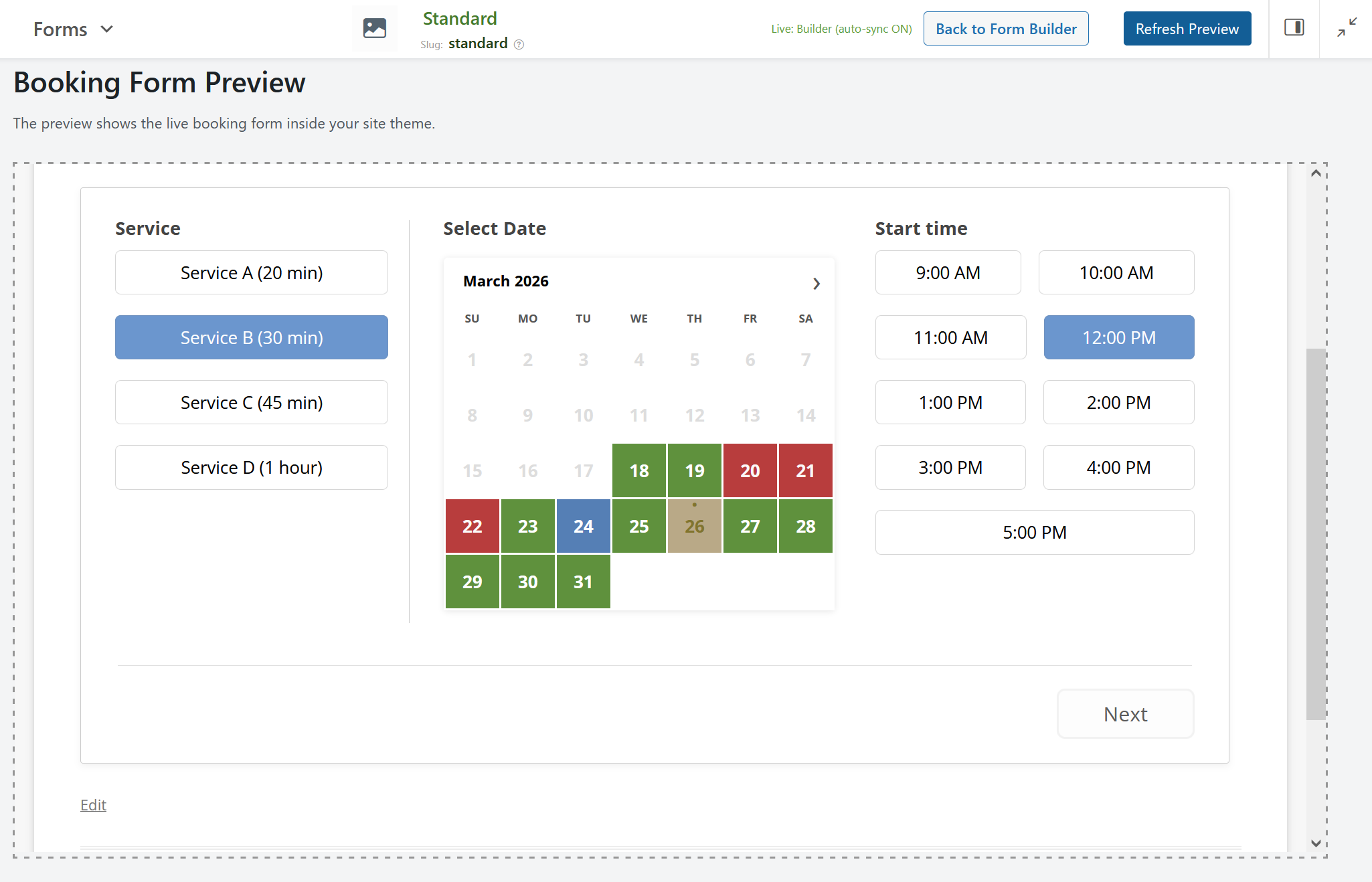
- • Preview page / live front-end preview: Test how the form looks and works before publishing it on your website.
- • Import existing legacy booking forms into the new Builder for easier transition to the visual workflow.
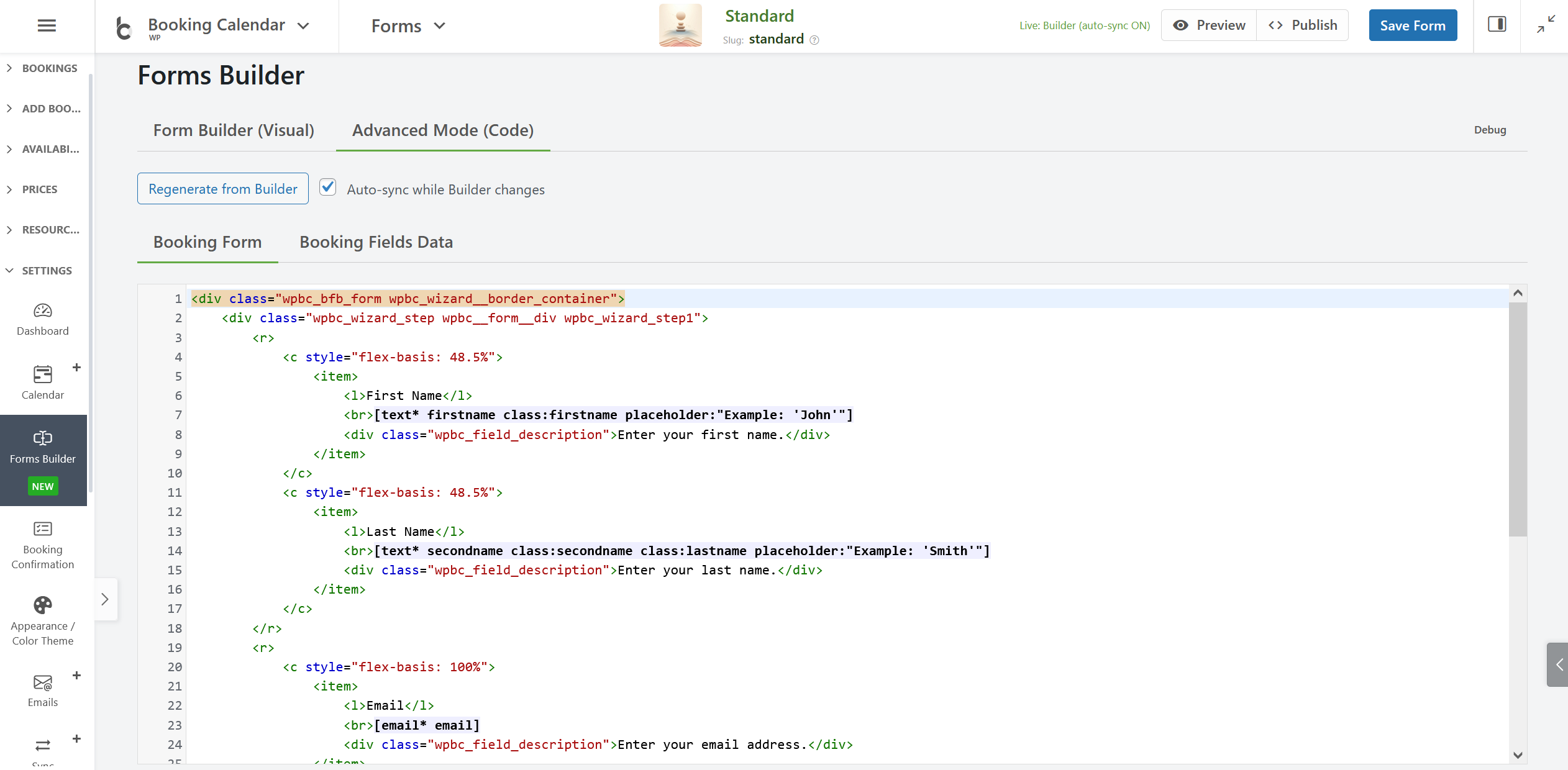
- • Builder mode and Advanced Form mode: Work visually or keep manual form configuration when needed.
- • Blank form creation in Builder mode lets you start new forms immediately in the visual editor.
- • Section presets help you insert commonly used layout structures faster.
Important Note About the Beta Builder
- • This feature is currently in Beta and can still be disabled at any time.
- • To return to the previous legacy booking form configuration, go to Form Builder > Settings in the right sidebar and disable the "Drag & Drop Form Builder" option.