


Time Slots Availability
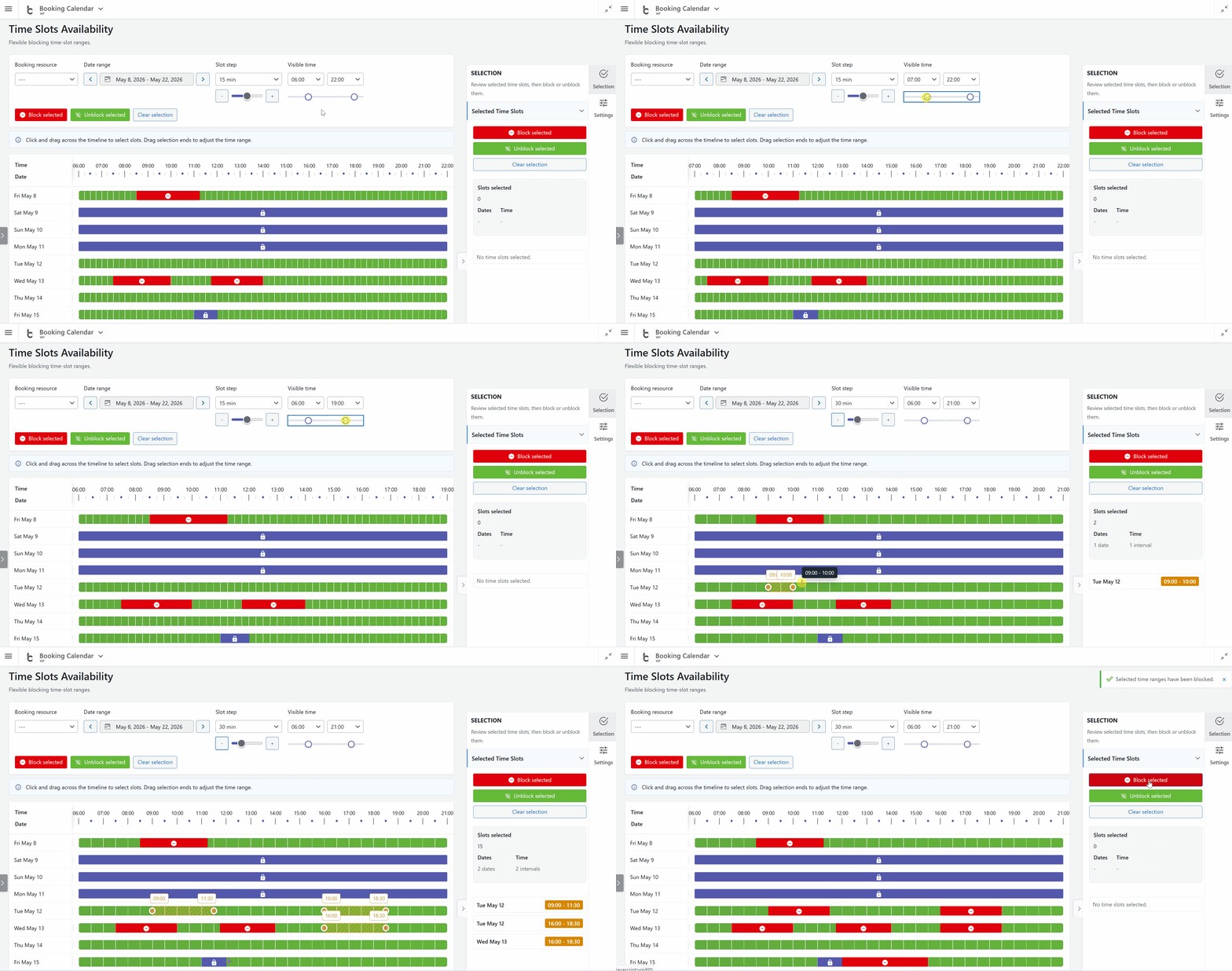
- • NEW: Added the Time Slots Availability page under Booking Calendar > Availability, allowing administrators to define unavailable time intervals for specific booking resources and date ranges.
- • Interactive timeline selection: Select one or many days directly in the timeline, adjust start and end time, then block or unblock the selected interval.
- • Clear availability states: The timeline now shows available, booked, unavailable, and full-day unavailable states in one place.
- • Finer control: Work with visible time range controls, date range navigation arrows, and slot steps down to 5 minutes.
- • Better long-range editing: Sticky timeline headers and progress indicators make loading, blocking, unblocking, and saving easier to follow.
Set Times Availability Popup
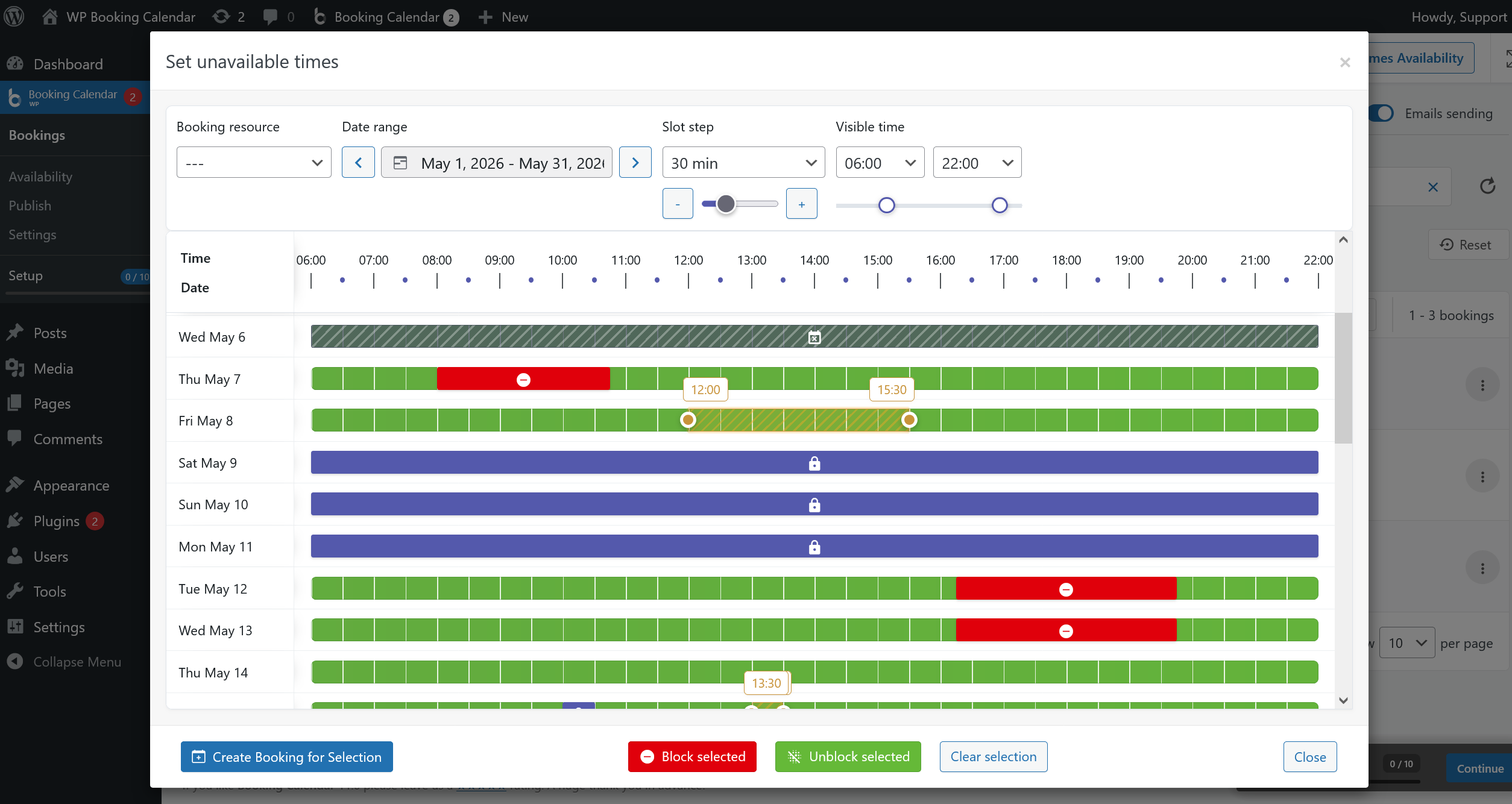
- • NEW: Added a reusable Set Times Availability popup to the Booking Listing page, so unavailable time intervals can be managed without leaving the bookings workflow.

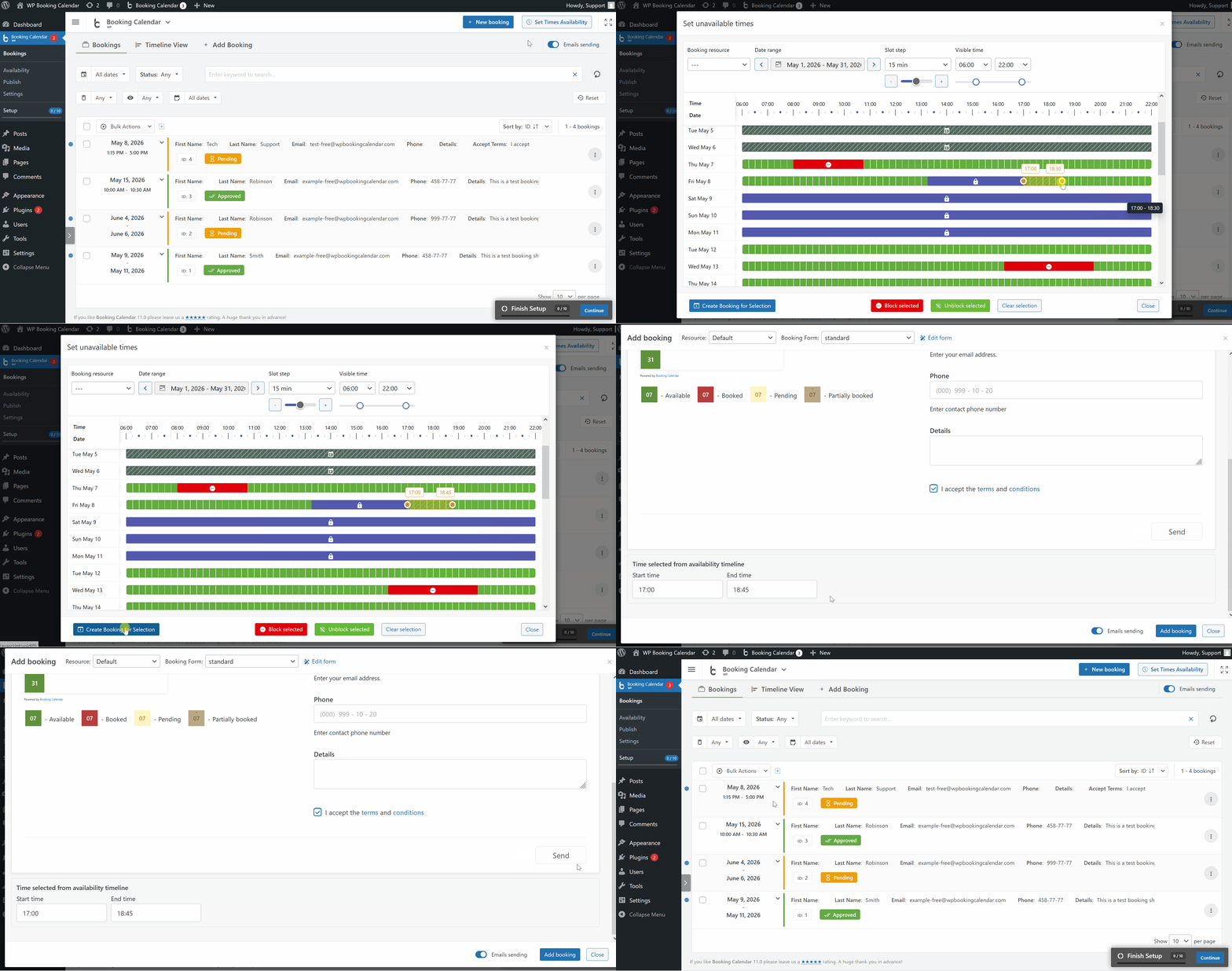
• Create bookings from selected intervals: Start a new booking directly from the selected time interval inside the Time Slots Availability popup.- • Works across multiple days: Select, block, unblock, and review unavailable intervals across a date range with booked and unavailable states visible.
- • Unavailable full-day reasons: The popup can show days blocked by Days Availability, Season Availability, unavailable weekdays, unavailable time from current time, and limit available days from today settings.
- • Quick rule links: Full-day unavailable timeline bars can link to the related availability settings page, helping administrators identify and adjust the rule that made a date unavailable.
Faster Add Booking Popup
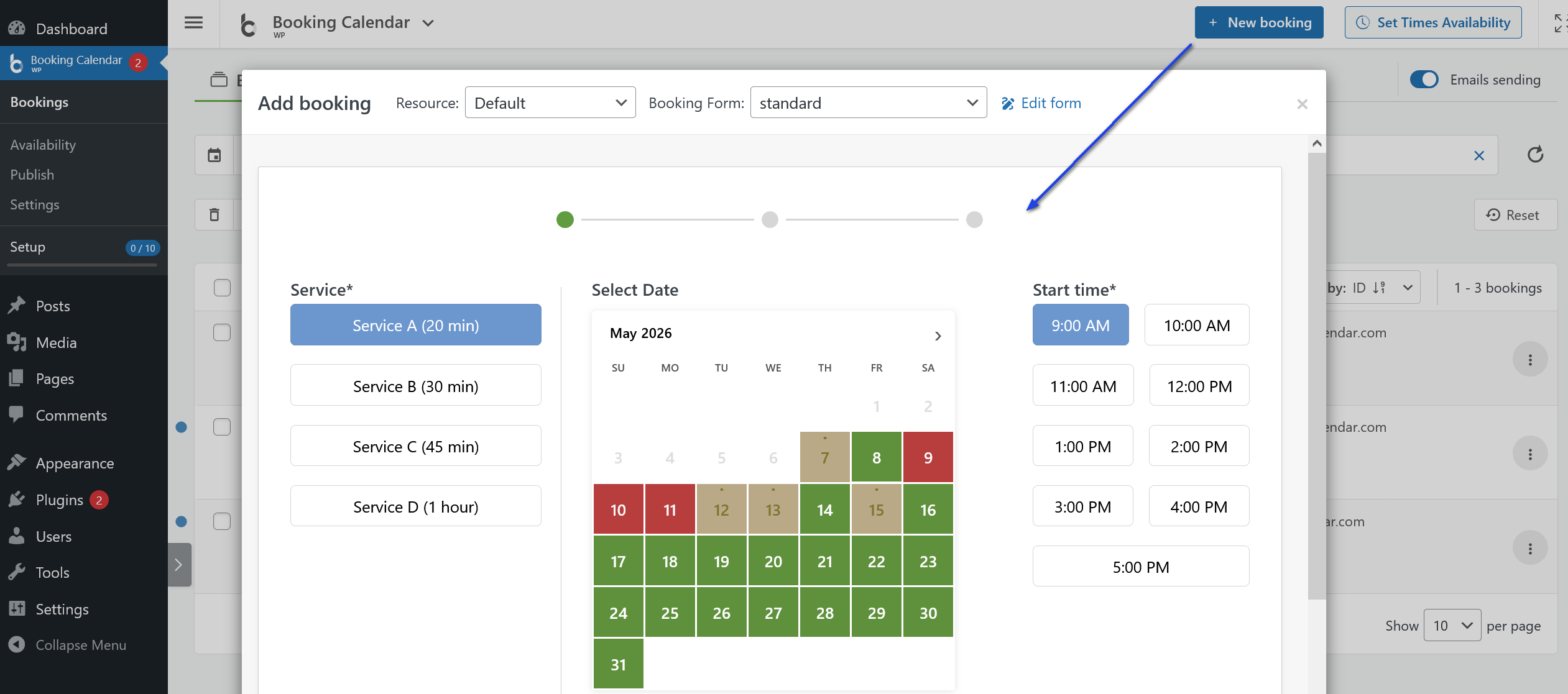
- • NEW: Added a faster Add Booking popup to the Booking Listing and Timeline pages, so users can create bookings without leaving the current view.
- • Prefilled from the timeline: Selected booking resource, date, start time, and end time are passed into the popup when creating a booking from a selected interval.
- • Choose the right form in place: Select the booking resource and custom booking form directly inside the popup.
- • Edit in the same workflow: Existing bookings can be opened in the popup, with a direct link to edit the selected booking form when needed.
- • Improved navigation: The Add Booking page is now available under the Bookings section, and Booking Listing and Timeline include a clearer New booking quick-action button.
General Availability Settings
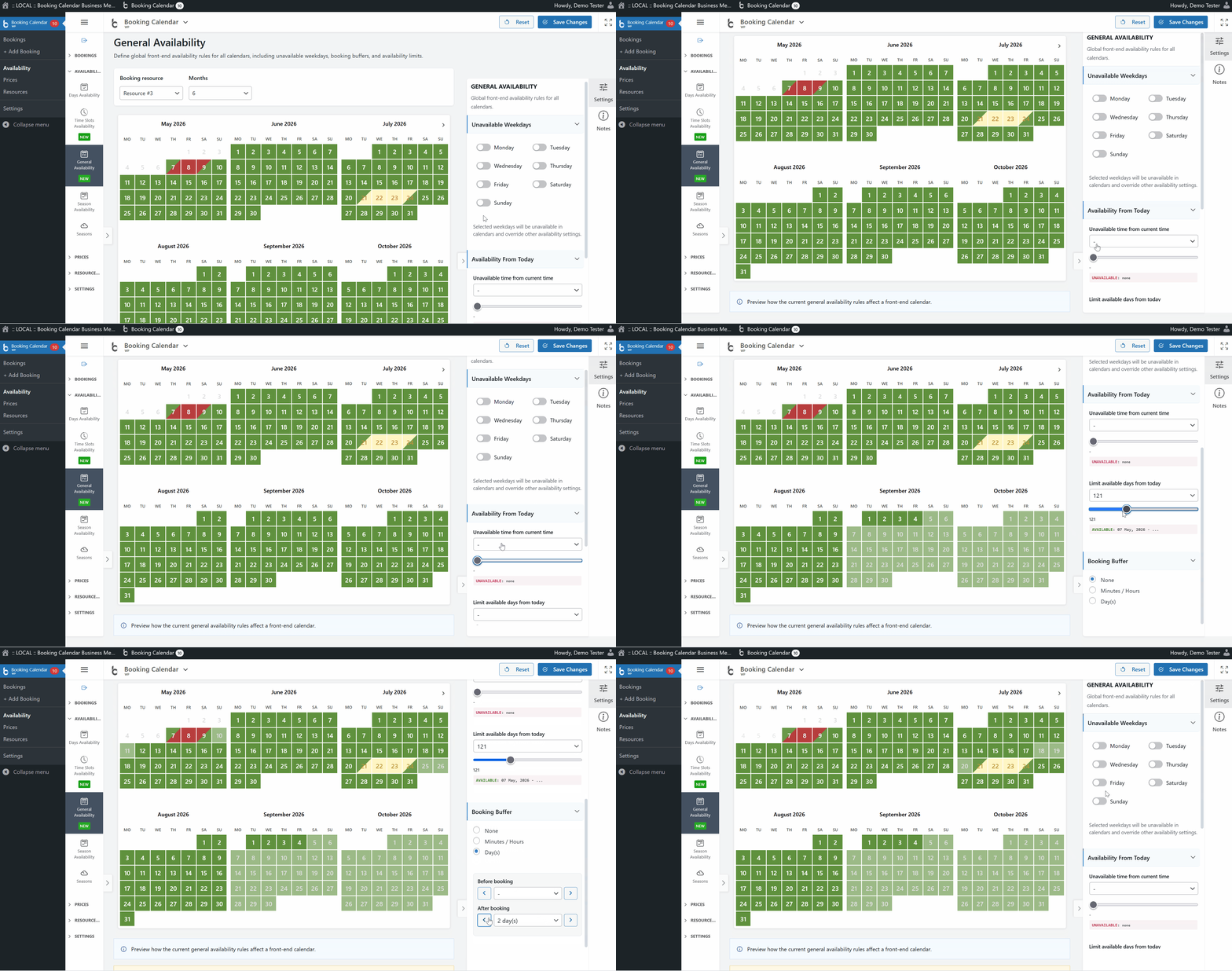
- • NEW: Added a General Availability settings page for defining global front-end availability rules across all calendars and booking resources.
- • Live calendar preview: Review unavailable weekdays, availability limits from the current date, unavailable time from current time, and booking buffer effects before saving.
- • Fast settings workflow: Save changes with AJAX, reset preview controls to defaults, and continue working in the same page layout.
- • Consistent admin design: Uses the shared right-side palette layout from the Availability pages and setup wizard interfaces.
Availability Accuracy and Reliability Fixes
- • Fix: Fixed calendar booking status detection, improving how the front-end calendar reads approved and pending booking statuses for capacity-based resources, including parent/child resources and change-over dates.
- • Fix: Fixed availability calculation for Booking Form Builder forms with time-slot fields, so dates are marked as fully unavailable when all booking form time slots are already booked. (10.15.8.2)
- • Fix: Fixed a fatal error on some hosts by reading the local PRO meta.json file directly instead of using WordPress FTP filesystem access.
- • Improvement: Front-end booking form calendars should now reflect real availability more clearly across booked, pending, blocked, and change-over dates.