


Services and the New Appointment Booking Flow
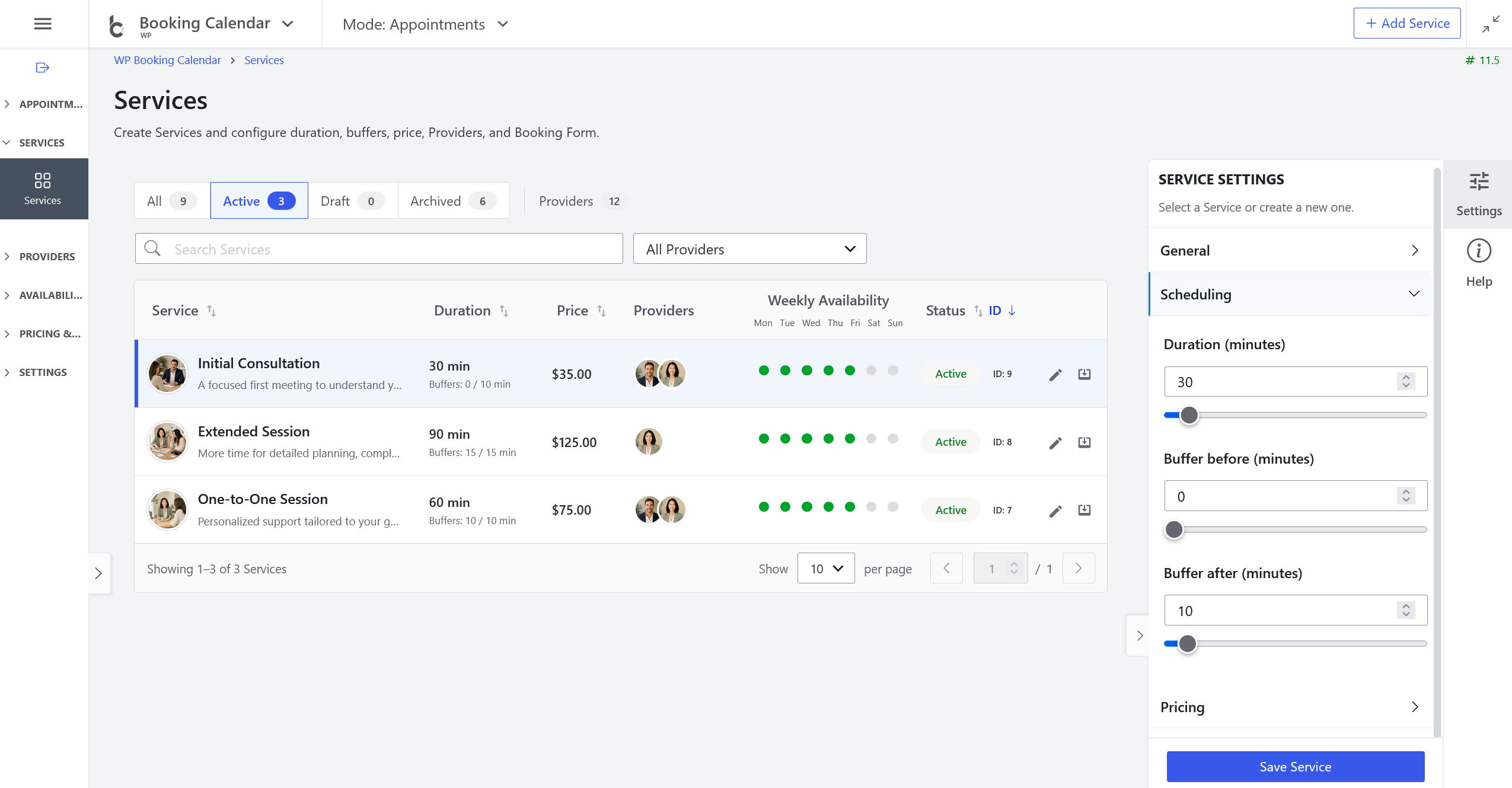
- • NEW Services catalogue: Create Services with a picture, description, duration, buffers, price, status, Booking Form, and compatible Providers.
- • Clear Provider overview: Search and sort Services, review assigned Providers and weekly availability, and open the relevant availability settings directly.
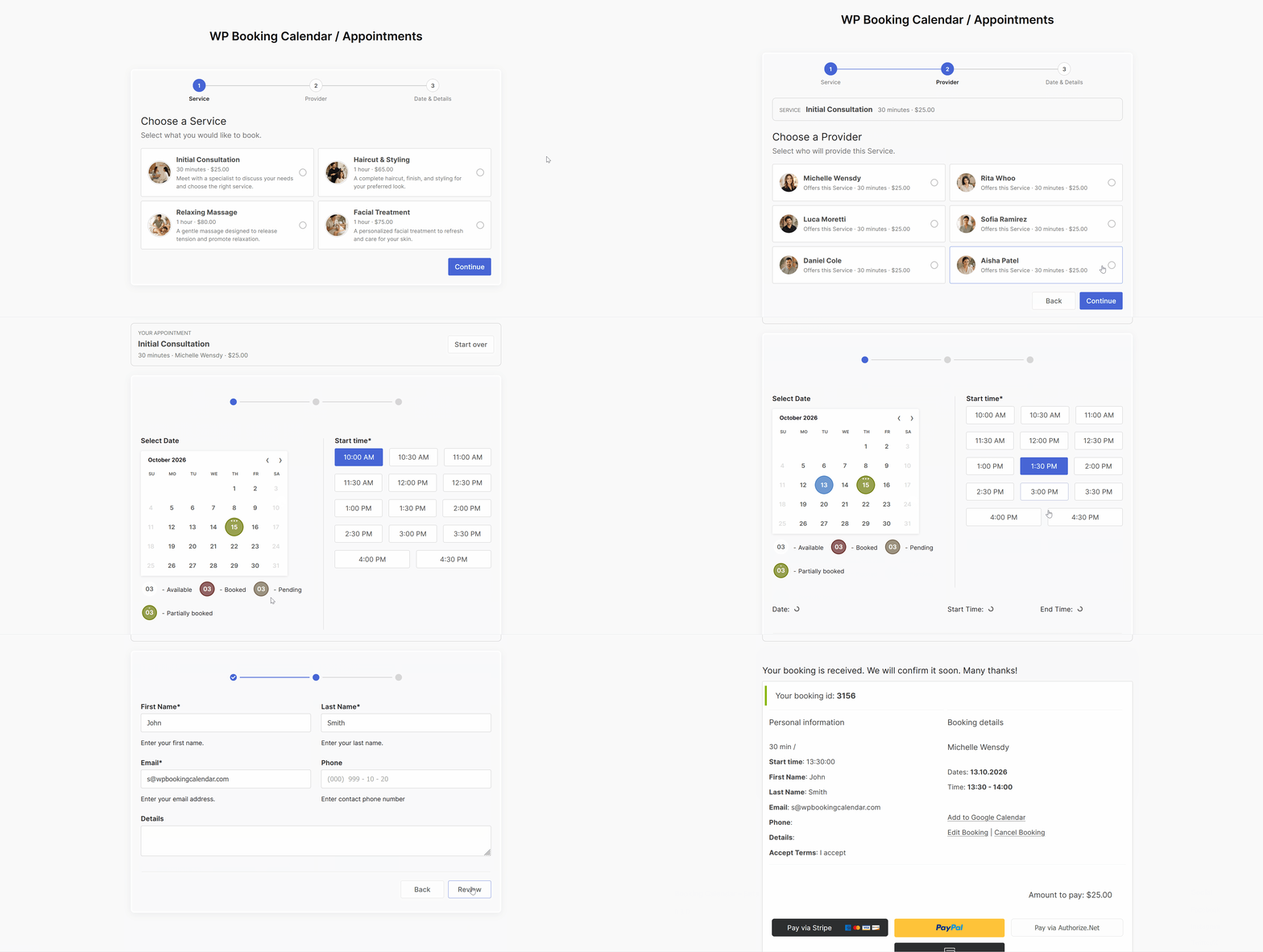
This video demonstrates features available in the Business Small and higher editions, including multiple providers, payments, and booking costs.
- • NEW [booking_appointment] shortcode: Customers choose a Service and compatible Provider before the native calendar and Booking Form load on the same page with AJAX.
- • A new Start Over field in the Booking Form Builder lets customers restart the Appointment flow without reloading the page.
- • A new Appointments and Services Flow template and Weekday Start Time field provide an Appointment-ready Form Builder starting point.
- • Reliable scheduling: Service duration, buffers, and Provider-specific overrides are checked on the server before an Appointment is saved.
Administration Modes and QuickStart
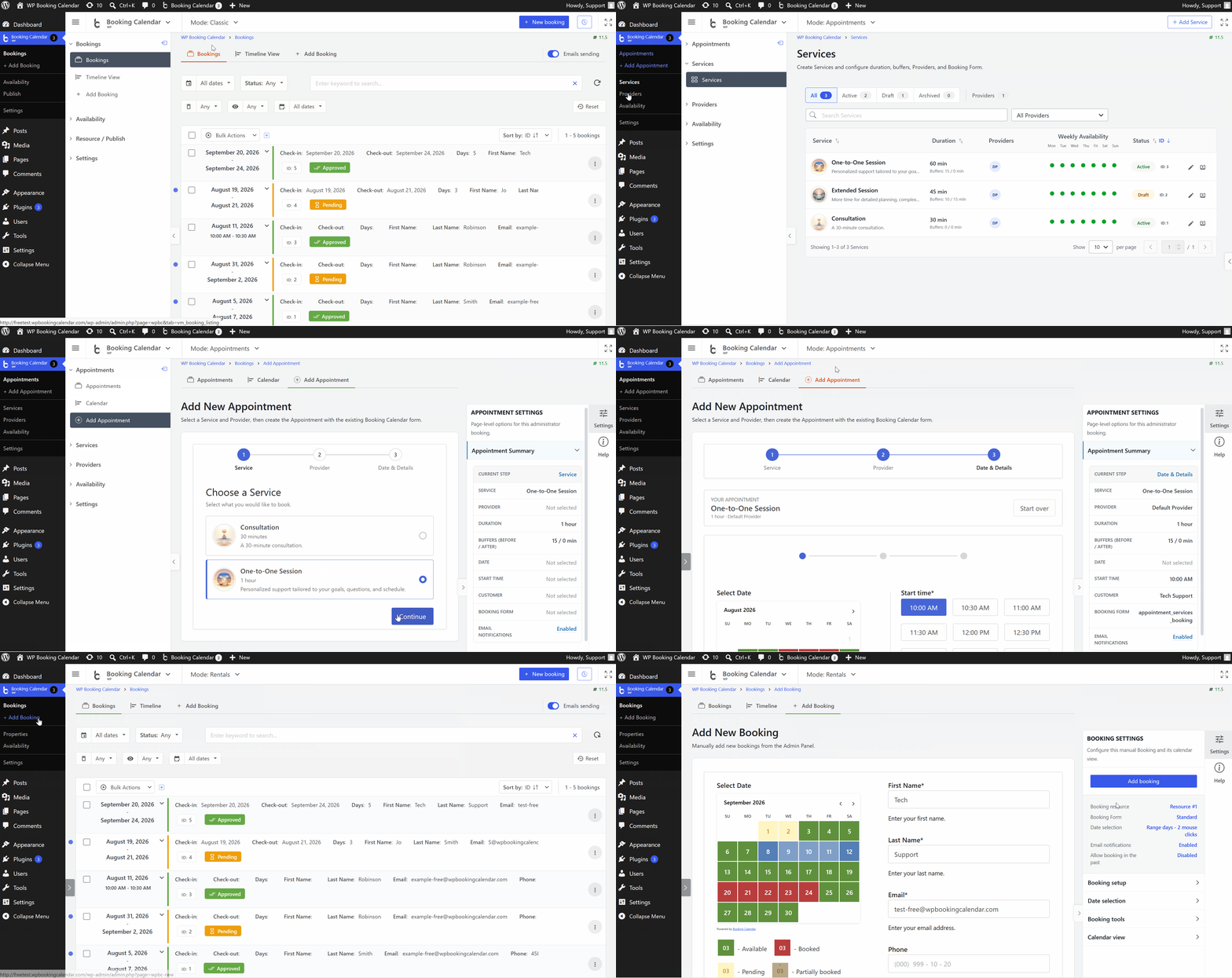
- • Choose Classic, Appointments, or Rentals to use familiar terminology and focused navigation without changing existing bookings, resources, availability, or page URLs.
- • Mode selection is stored for the active Booking Calendar owner, including supported MultiUser owner contexts.
- • Explicit Appointment QuickStart and Rental QuickStart actions can reuse or prepare the minimum booking page setup and remain safe to run again.
- • The mode-aware Setup Wizard follows the selected booking profile through the relevant Service, Provider, form, availability, appearance, publish, and test-page steps.
Resource-first Booking Flow ( Pro Versions)
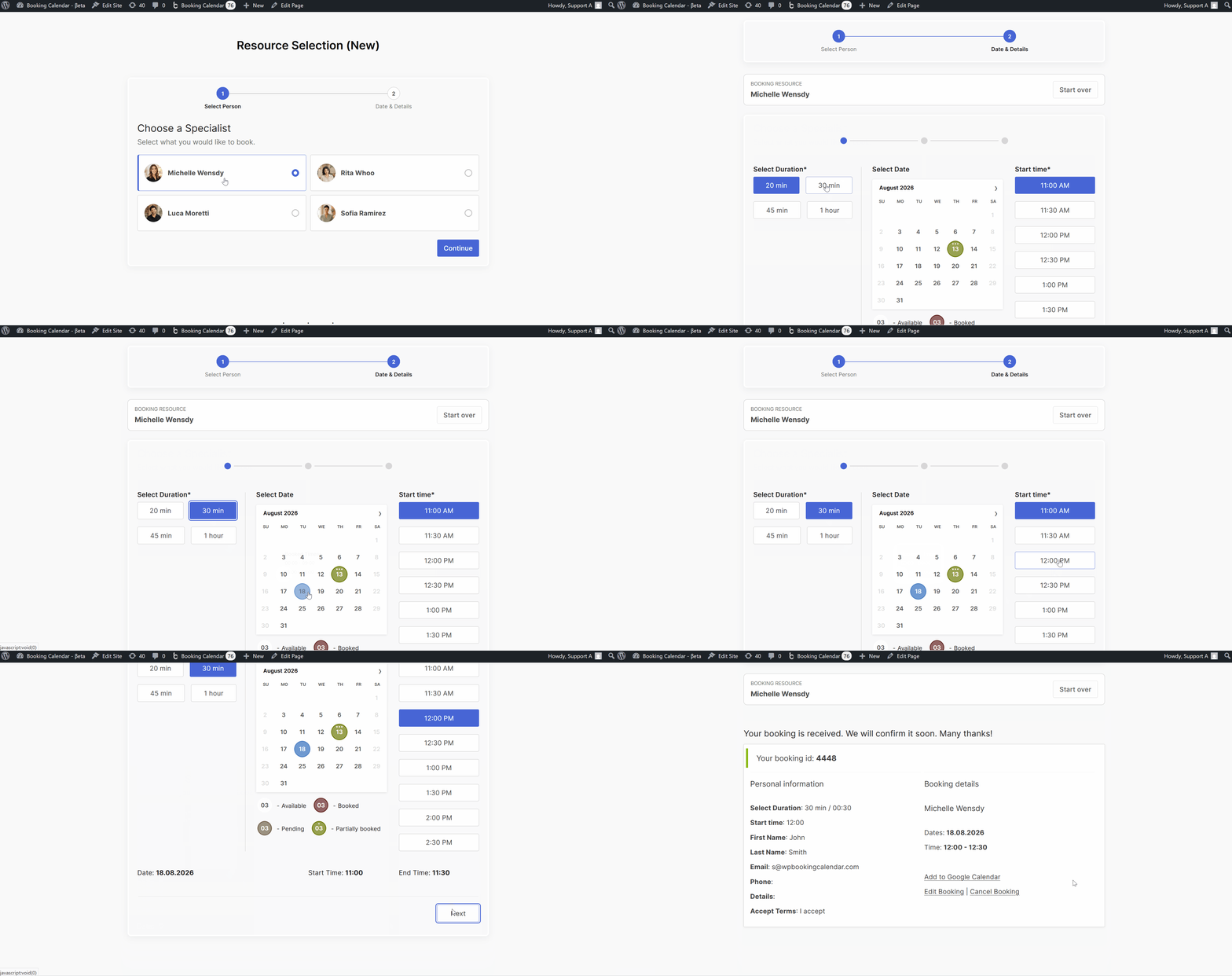
This video demonstrates features available in the Pro versions, including payments, and booking costs in BS+ versions.
- • The new [booking_resource_selector] shortcode lets visitors choose a permitted Booking Resource before its native calendar and Booking Form load on the same page.
- • Restrict, preselect, or optionally auto-open Resources from the shortcode popup or WordPress block, while retaining Start Over and the established availability, pricing, payment, and booking engines.
Appointment Administration
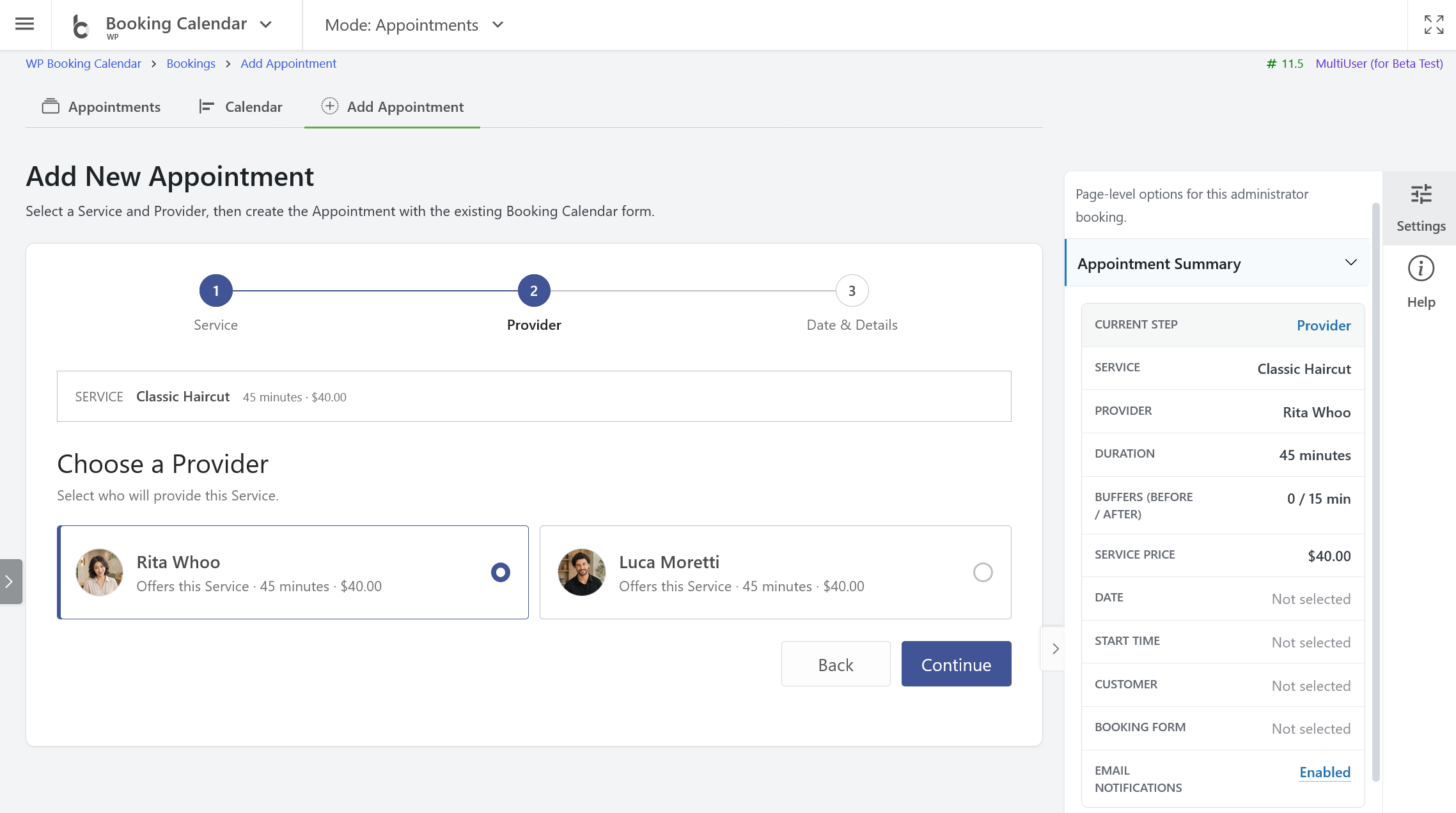
- • NEW Add Appointment page: Create an Appointment through the same Service-first flow from a focused admin canvas with contextual inspector panels.
- • Filter the Booking Listing by Services and Providers using reusable searchable multi-select controls.
- • Appointment details, Service and Provider snapshots, duration, buffers, and blocked time are available in administration details and supported outputs.
- • Providers remain existing Booking Resources, preserving established availability, permissions, and ownership behavior.
Redesigned Add Booking Page
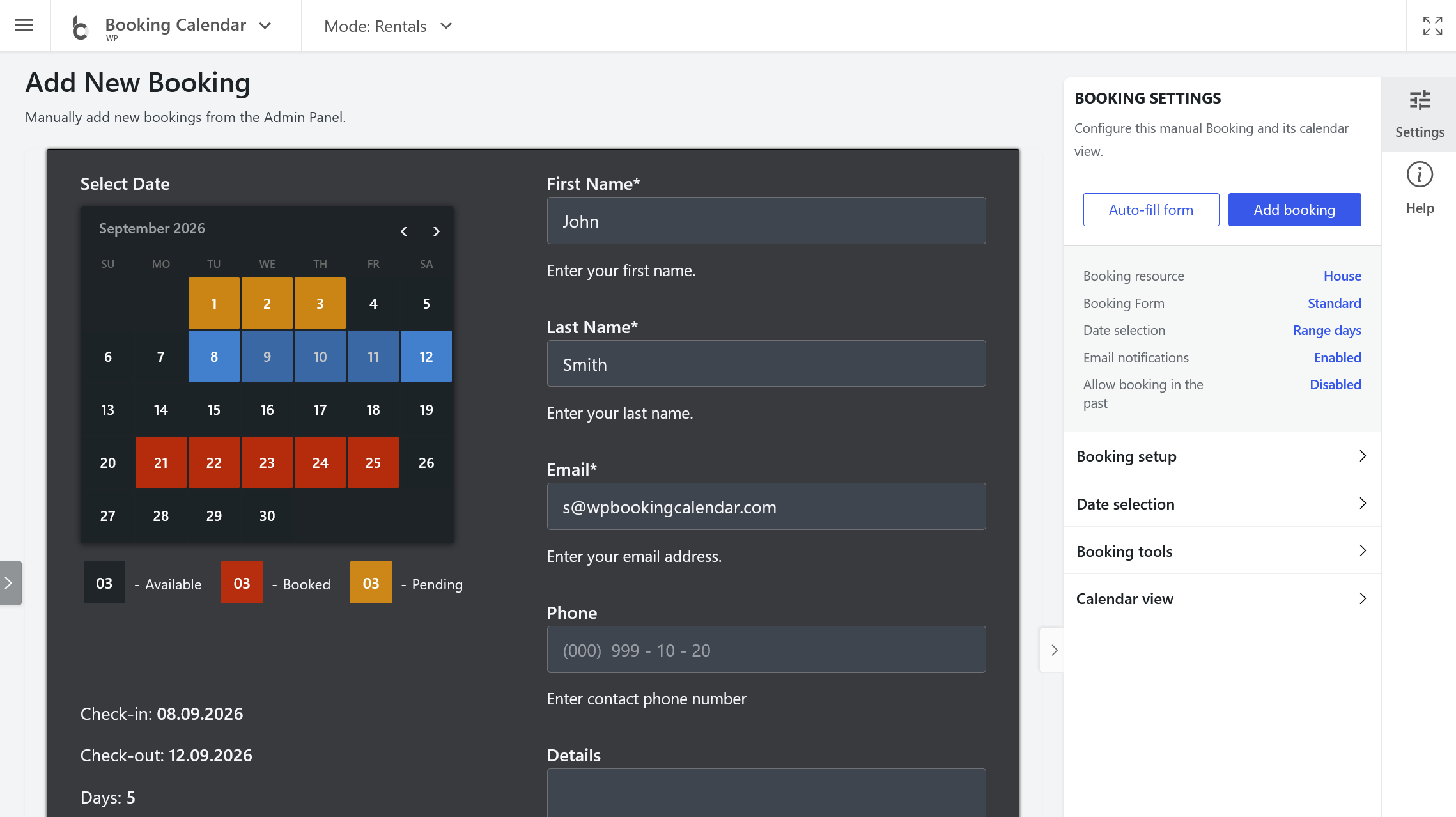
- • Focused booking canvas: The standard Booking Form remains in the main workspace while setup and actions move into a consistent right-side inspector.
- • Important actions stay visible: Add Booking and Auto-fill Form are placed together with a concise summary of the selected Booking Resource, Booking Form, email notifications, and past-date behavior.
- • Temporary Date selection override: Administrators can switch between Single day, Multiple days, and Range days immediately without reloading the page or changing saved front-end settings.
Consistent Form Styles and Accent Colors
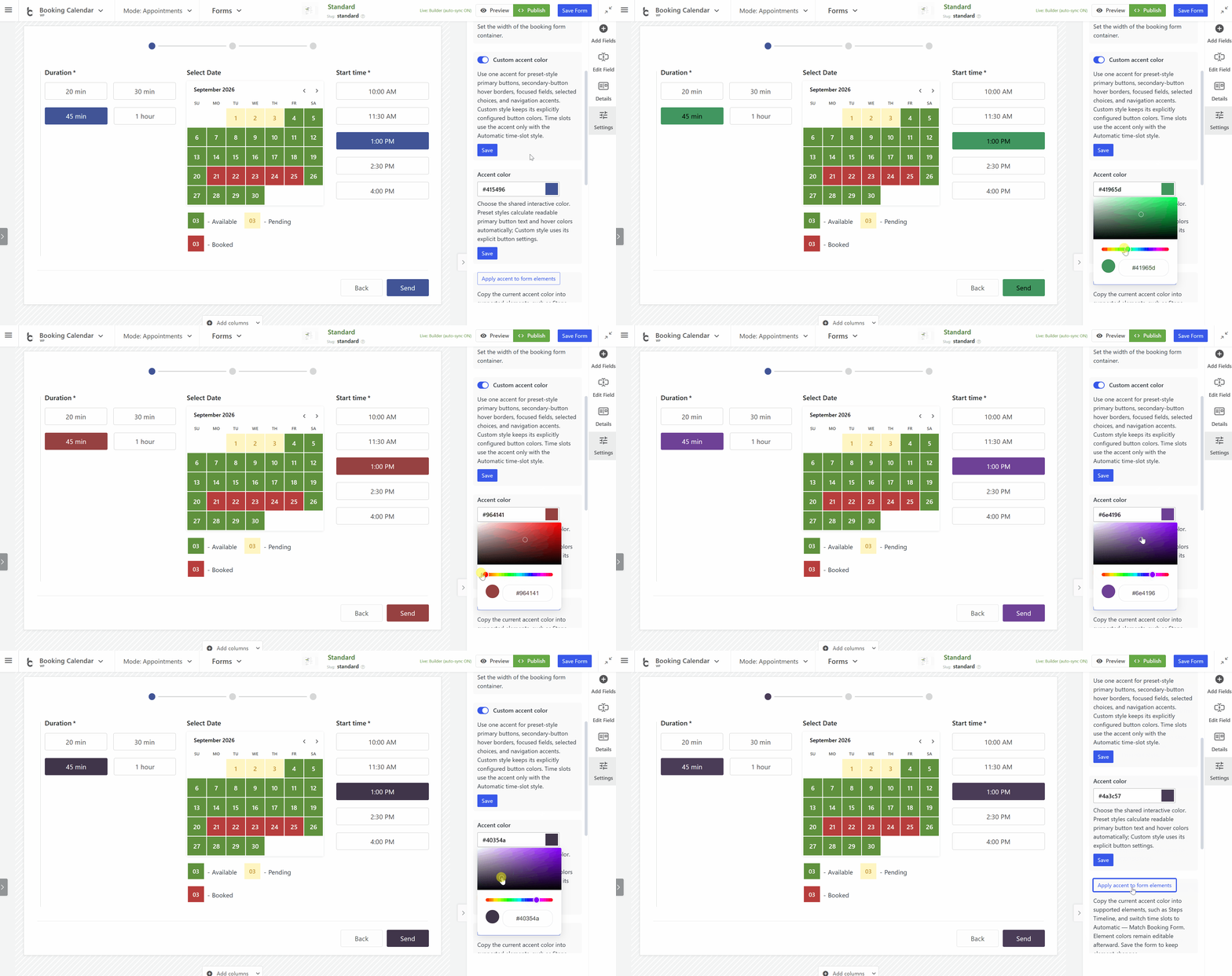
- • Choose an optional Custom accent color for primary buttons, secondary-button hover borders, focused fields, selected choices, navigation, and compatible time slots.
- • Use Apply accent to form elements to copy the accent into supported editable components, with global time-picker display and style controls available in Time field inspectors.
- • The new Automatic - Match Booking Form time-slot style follows the selected Form Style while existing time-picker skins keep their own colors.
- • Custom button controls and unified primary, secondary, submit, and wizard styles provide consistent dimensions, borders, hover behavior, dark-theme colors, and accessible keyboard focus.
Compatibility and Extensibility
- • Existing Booking Resources, availability, Booking Forms, pricing, payments, and bookings remain authoritative; the Appointment experience builds on them instead of replacing them.
- • Appointment information is included in supported confirmations, emails, Booking Listing details, print views, and CSV exports.
- • Safer customer access: Public Timeline links are scoped to the exact authorized booking and Resource; Personal and higher editions use one-time email verification for customer booking lists.
- • New filters and hooks allow commercial editions and extensions to adapt capabilities, Service and Provider catalogues, and Appointment form routing.