


A New Booking Resources Catalog
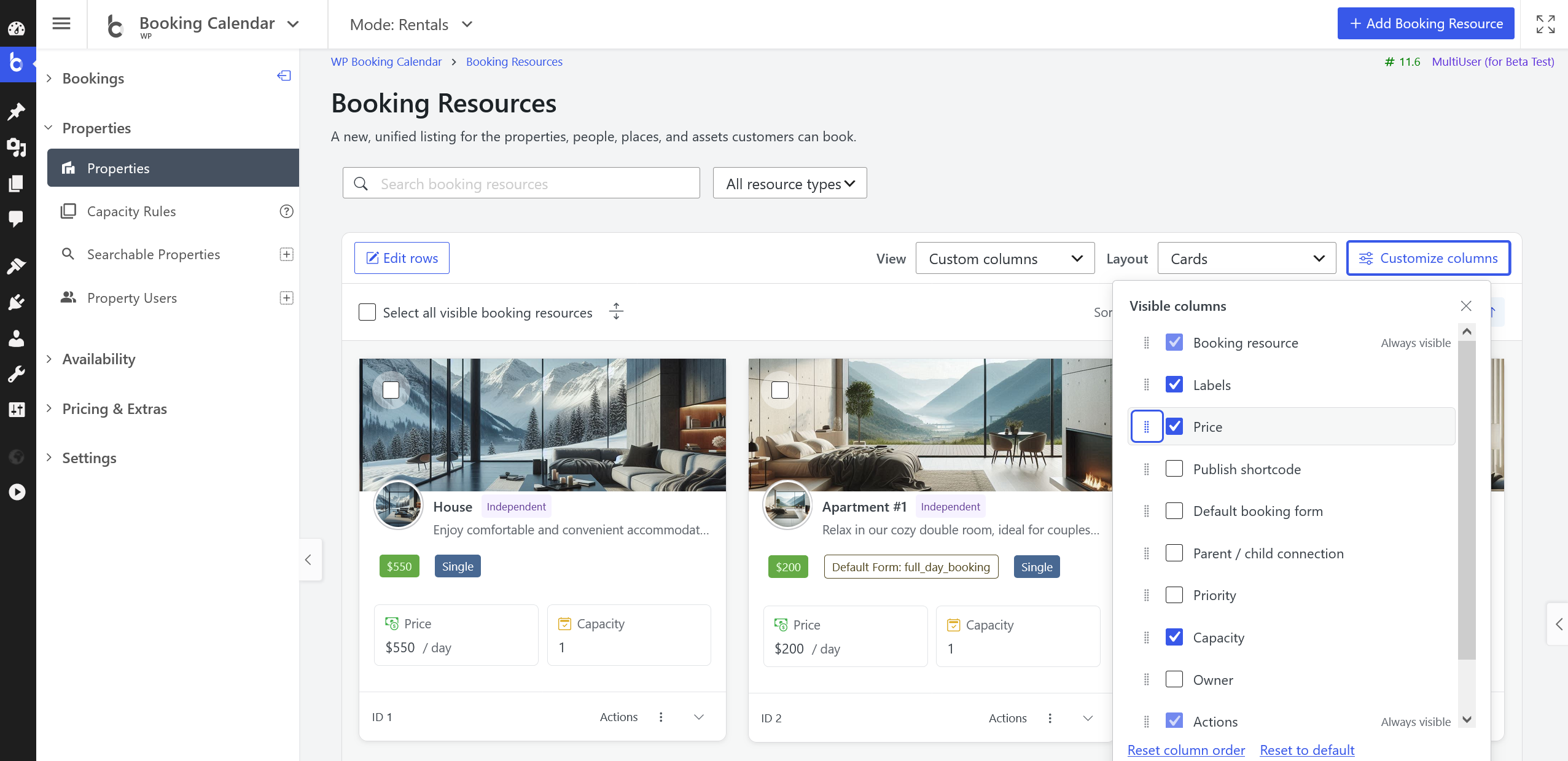
This screenshot demonstrates some features available exclusively in the Pro versions (including price, capacity, ...)
- • Find and organize Booking Resources faster with search, filtering, sorting, pagination, saved views, and customizable columns.
- • Choose the Default, Compact, or Cards layout while keeping the same Resource information and management tools.
- • Use responsive, keyboard-friendly controls with improved mobile, RTL, wide-table, and shortened-text handling.
A Native Seasons Catalog
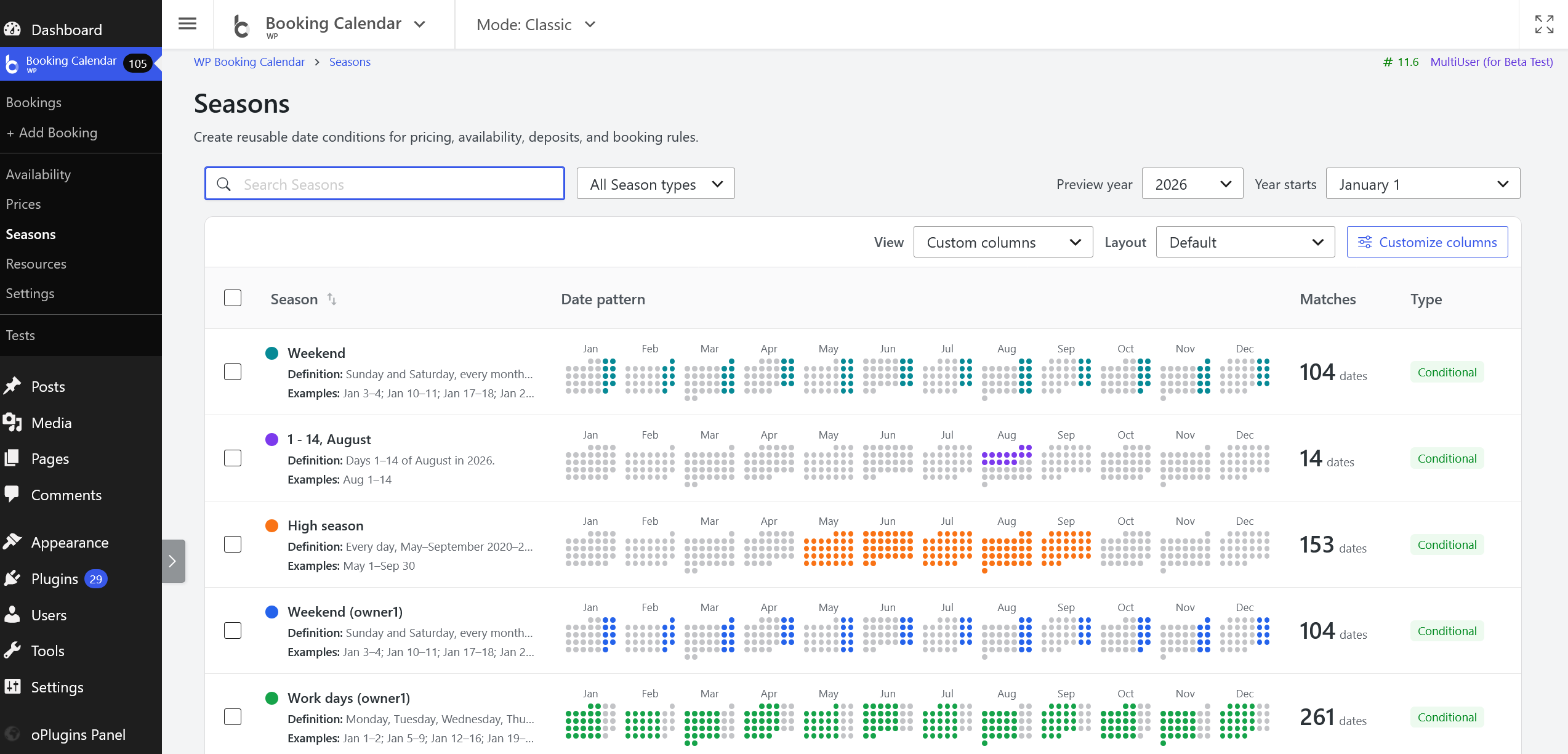
- Business Medium and higher editions can search, filter, sort, and paginate Seasons in Default, Compact, or Cards layouts with customizable columns and site-local preferences.
- Create and edit Conditional or Specific-date Seasons in a native right-side inspector with guided controls, color selection, a live twelve-month preview, and the standard Booking Calendar datepicker.
- Select Seasons and review server-approved safe title changes inline or in bulk before applying them.
- Review single or bulk deletion impact, follow authorized links to affected configuration, and keep referenced Seasons protected without silently rewriting related settings.
- Open the reusable Seasons catalog from its dedicated Booking Calendar navigation group between Pricing and Settings; Season Availability remains under Availability, while legacy Season editors remain available through the rollback setting.
Richer Resource Profiles and Publishing
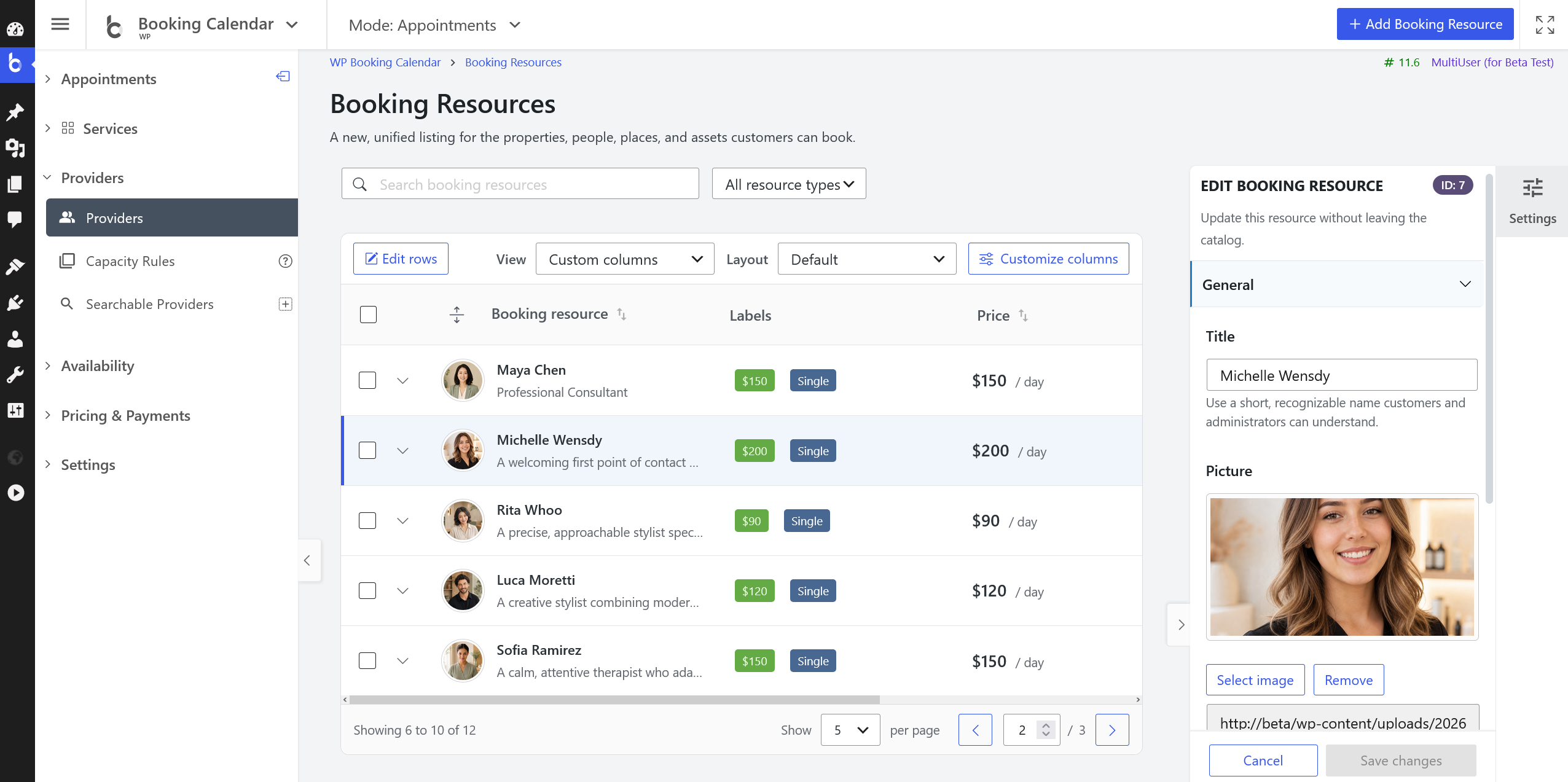
This screenshot demonstrates some features available exclusively in the Pro versions (including price, ...)
- • Add a recognizable title, photo, and description to each Booking Resource.
- • Review booking, publishing, pricing, structure, ownership, and availability information without leaving the catalog.
- • Free version users can edit and publish the included Booking Resource directly from the catalog.
New Resource Catalog Layouts for Booking Pages
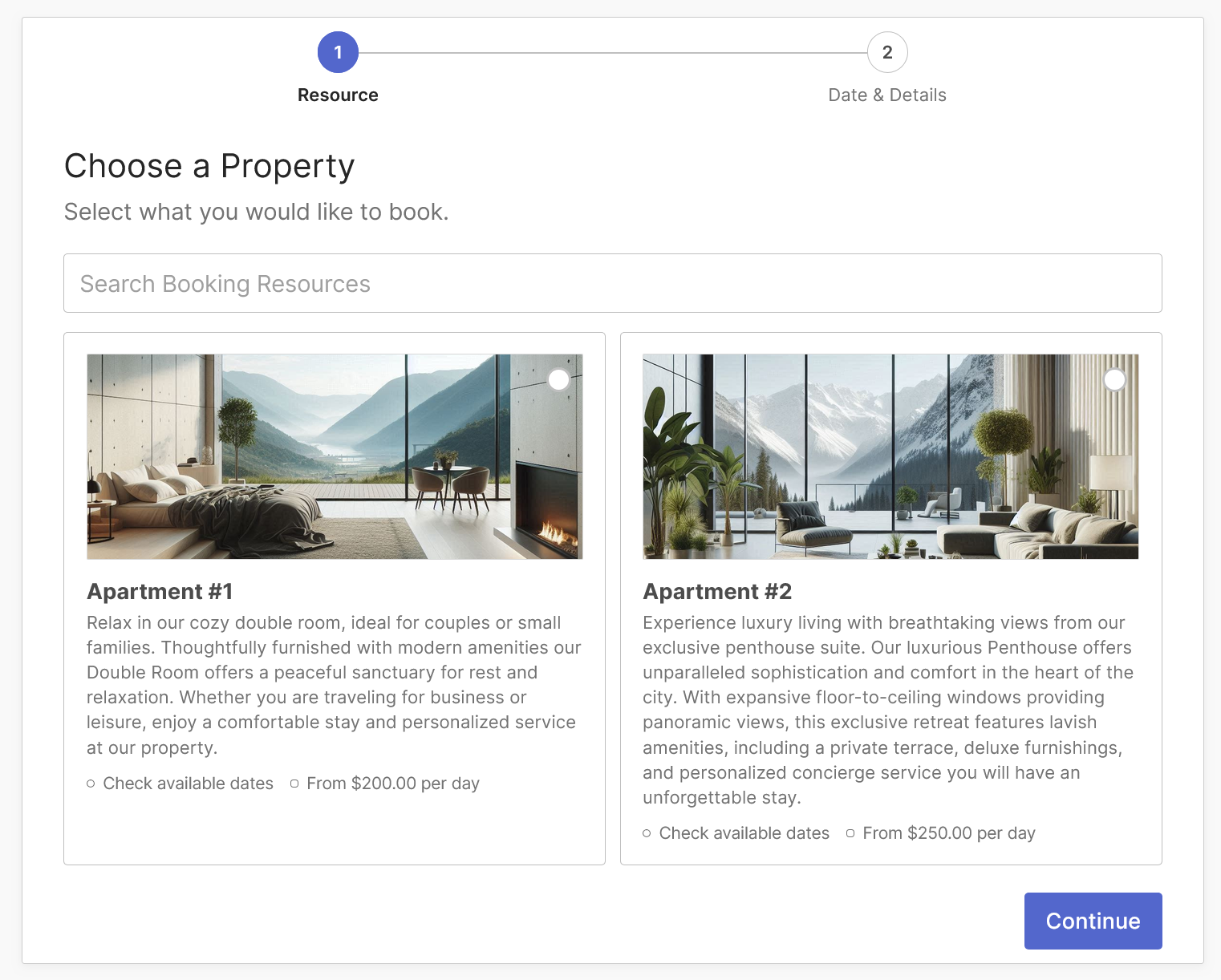
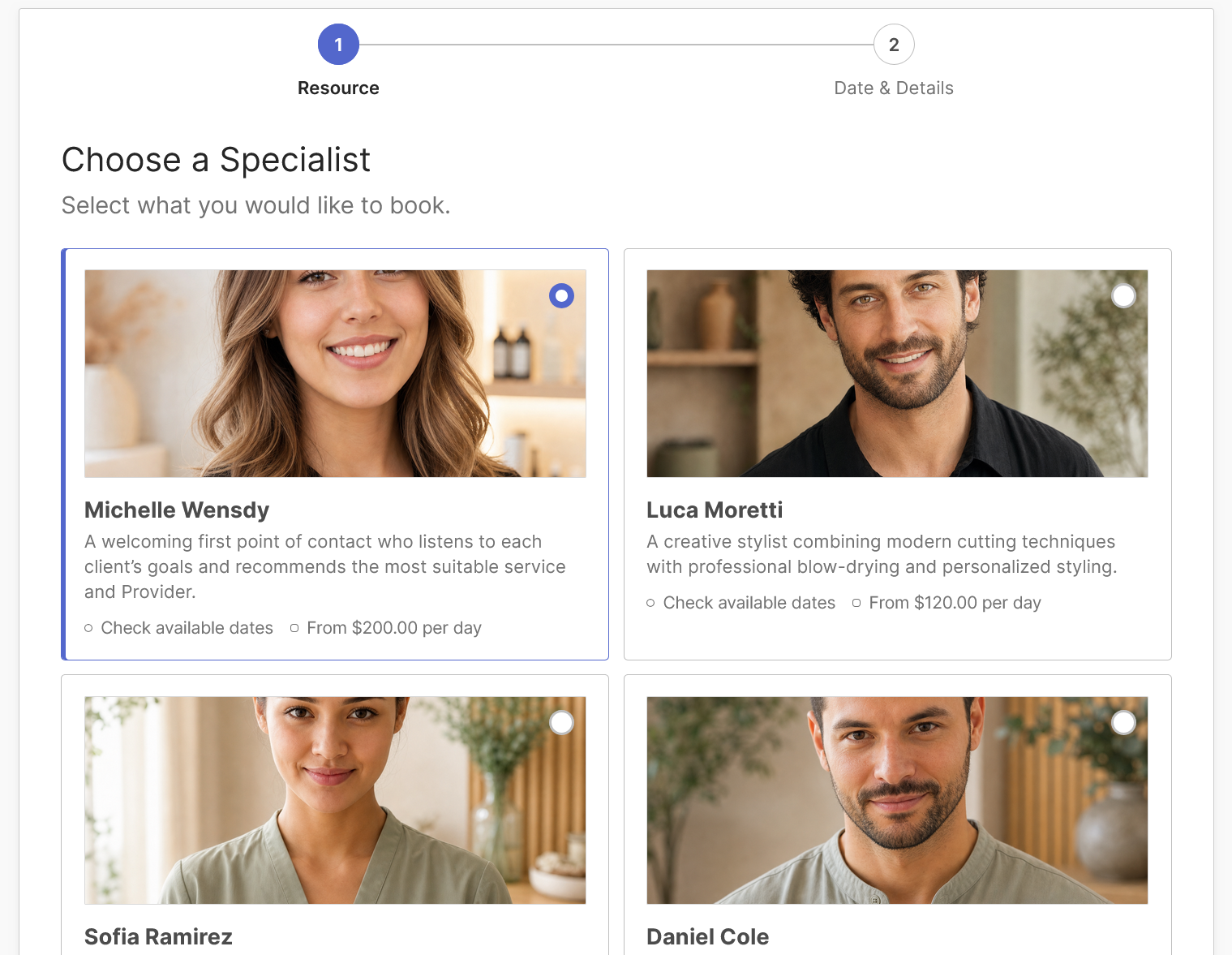
These screenshots demonstrates some features available exclusively in the Pro versions.
- • Transform the [booking_resource_selector] shortcode into a visual, searchable Resource Catalog for your booking pages.
- • Choose a responsive Grid or List layout that adapts to desktop, tablet, and mobile screens.
- • Configure Resource images, descriptions, hierarchy, availability, and price summaries to help customers compare their options.
- • Customers can search the catalog and select the right Resource before its native booking calendar and form open on the same page.
A More Flexible Services Catalog
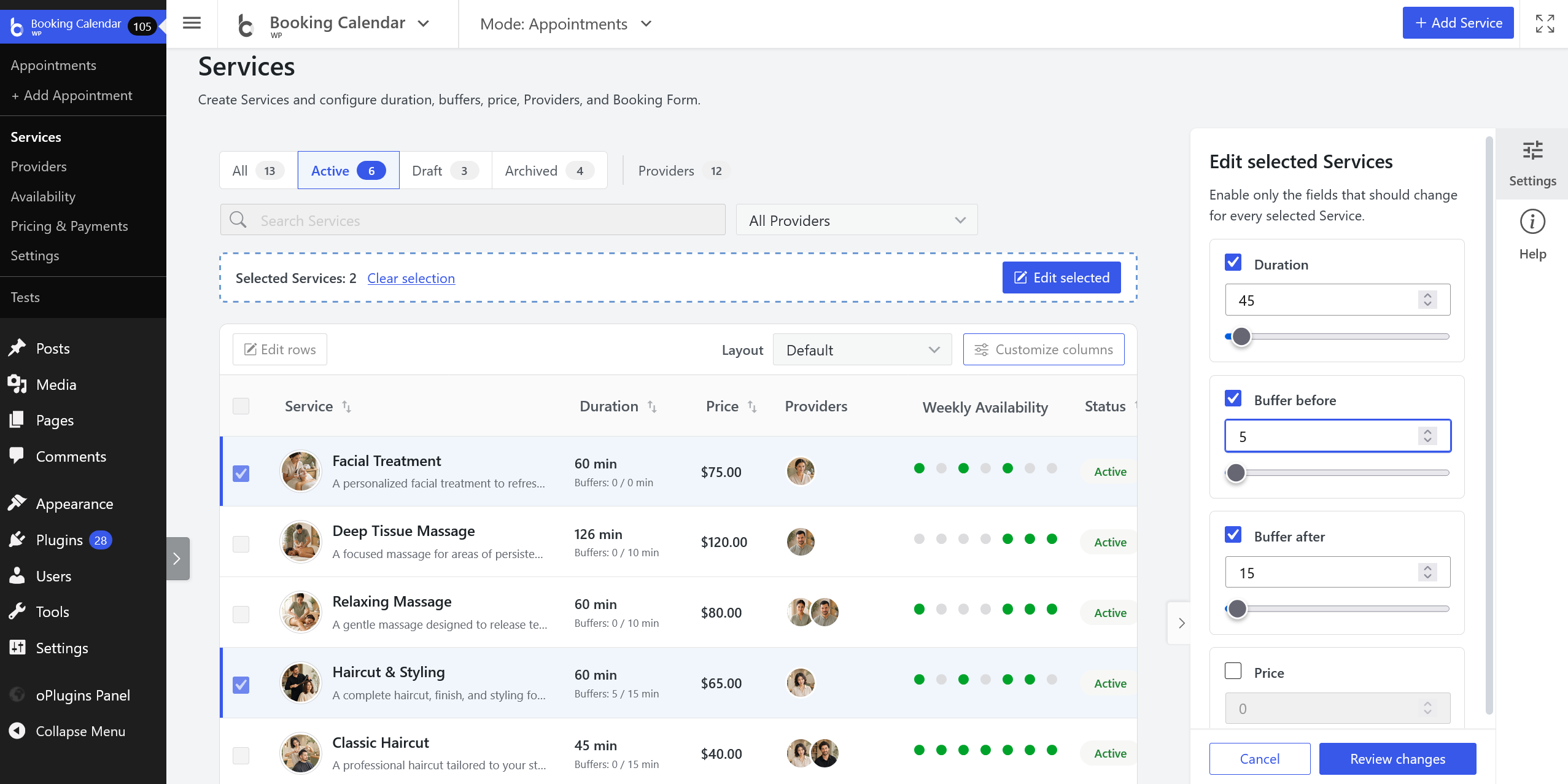
This screenshot demonstrates some features available exclusively in the Pro versions (including price, ...)
- • Manage Services in responsive Default, Compact, or Cards layouts, with search, Provider filtering, sorting, and customizable columns.
- • Select Services, edit current server-approved fields inline or in reviewed bulk changes, or use the right-side Service editor without leaving the catalog.
- • Review changes in the same clear before-and-after cards used by Booking Resources and Seasons before applying them.
- • Permanently delete unreferenced Services through a reviewed impact and confirmation step; protected Services provide authorized links to affected Appointments or saved Appointment pages.
Faster and Safer Resource Management
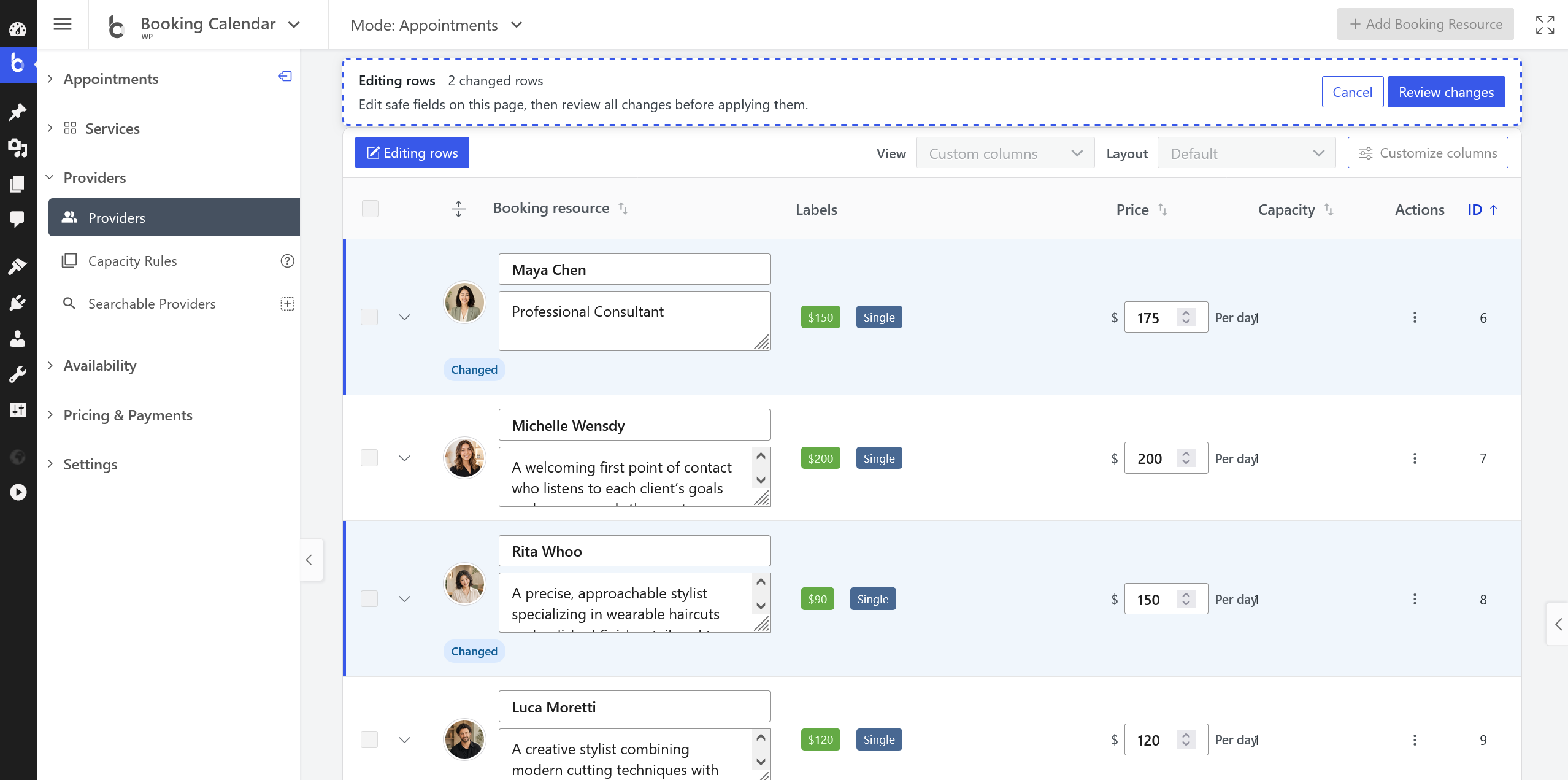
This screenshot demonstrates some features available exclusively in the Pro versions (including price, ...)
- • Select rows, edit safe fields inline, or use the right-side Resource editor while staying in the catalog.
- • Paid versions add guided single or batch creation and reviewed bulk changes for the fields available in each edition.
- • Preview important changes in consistent before-and-after cards before applying them, with server-side permission, ownership, edition, and stale-review checks.
- • Reviewed deletion warns about existing bookings, links authorized users to the affected records, and protects parent and child Resource relationships.
Hierarchy and Capacity Tools (Business Large and Higher Editions)
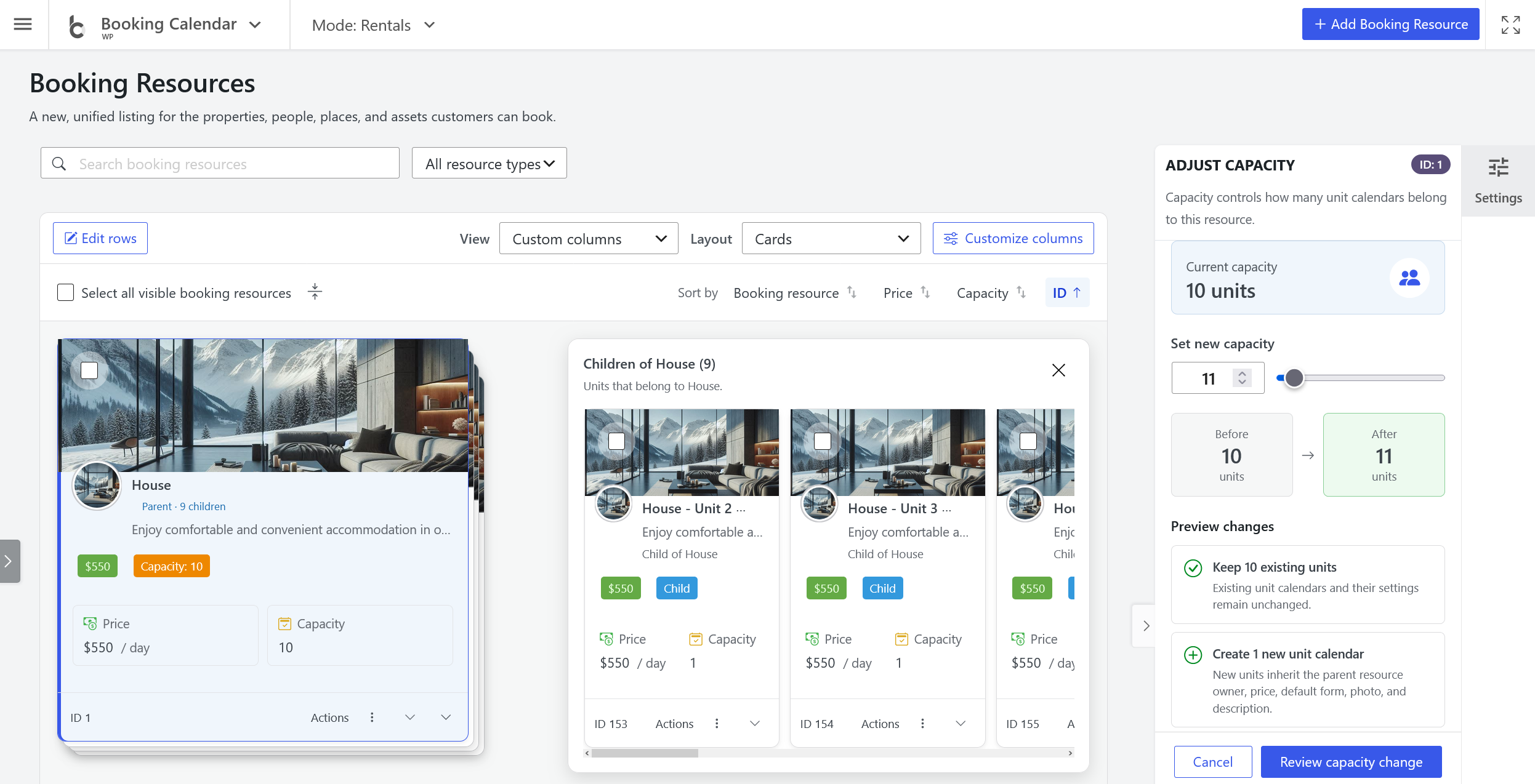
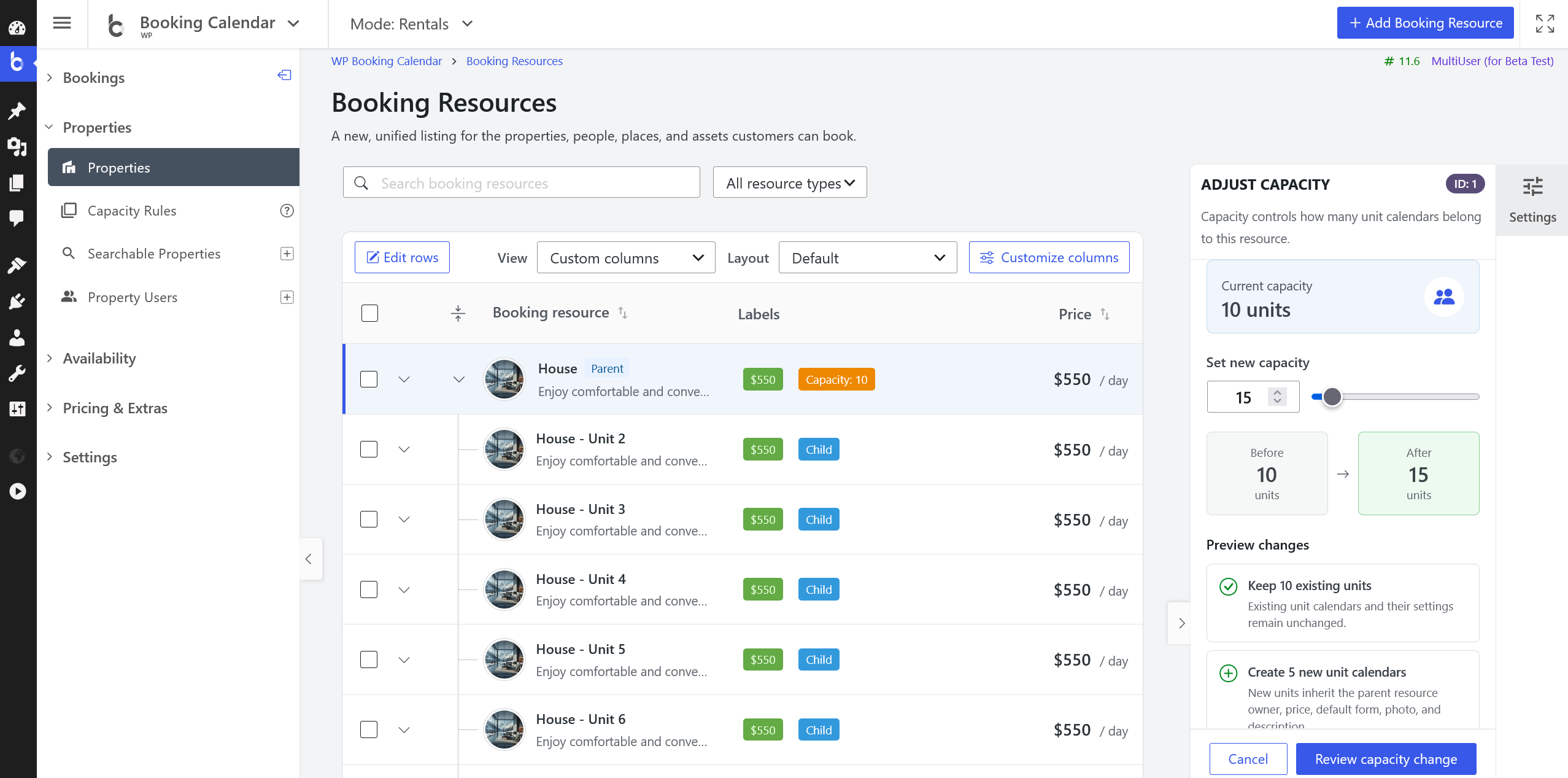
- • Manage parent and child Booking Resources in expandable groups that stay together while searching, sorting, and changing pages.
- • Adjust capacity by creating inherited child Resources or by reviewing which children become independent or are permanently deleted.
- • Capacity now represents the parent calendar and its child Resource calendars instead of the Maximum visitors setting.