


A New Prices Catalog
Minimum edition: Booking Calendar Business Medium or higher.
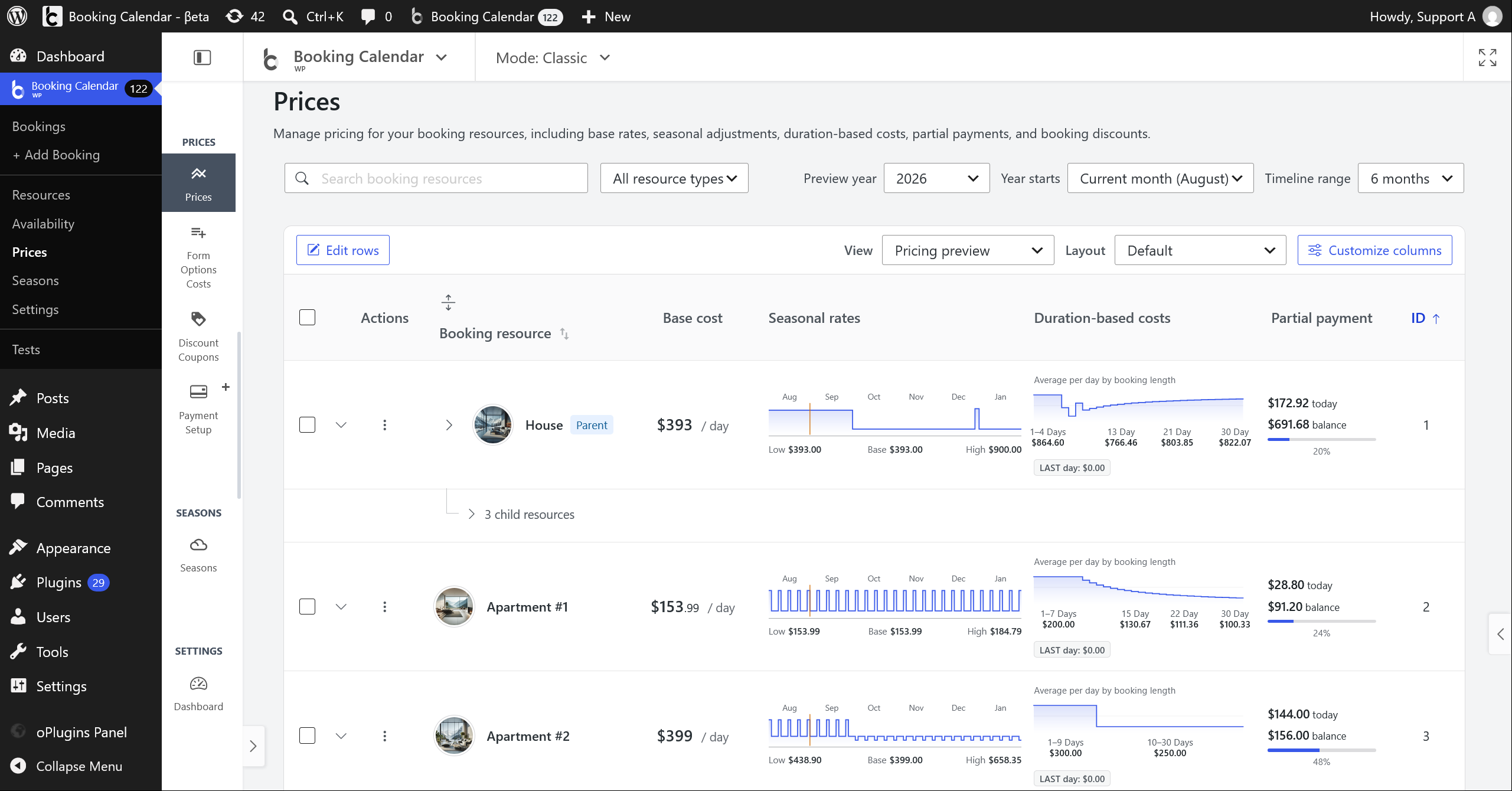
Why use it: Use the Prices Catalog to review and manage all Resource-owned pricing rules from one page instead of opening several separate pricing screens.
- Manage Resource pricing from the familiar Booking Calendar > Prices page with search, filtering, sorting, paging, layouts, customizable columns, and clear pricing previews.
- Expand a Resource to open direct links for Base Cost, Seasonal Rates, Duration-Based Costs, Partial Payment, Early Booking, and Last-Minute adjustments, together with owner Pricing context and authorized external settings.
- The right-side inspector keeps each pricing area focused, validates current authorized values before saving, and protects changes made by another request.
- Need more time before switching? Enable Use legacy catalog pages to temporarily restore the previous Prices listing without migrating or resetting pricing data.
- Catalog previews cover Resource-owned pricing. Booking Form option costs, coupons, taxes, payment fees, additional Resources, and other later adjustments can still change the final booking total.
Base Cost
Minimum edition: Booking Calendar Business Medium or higher.
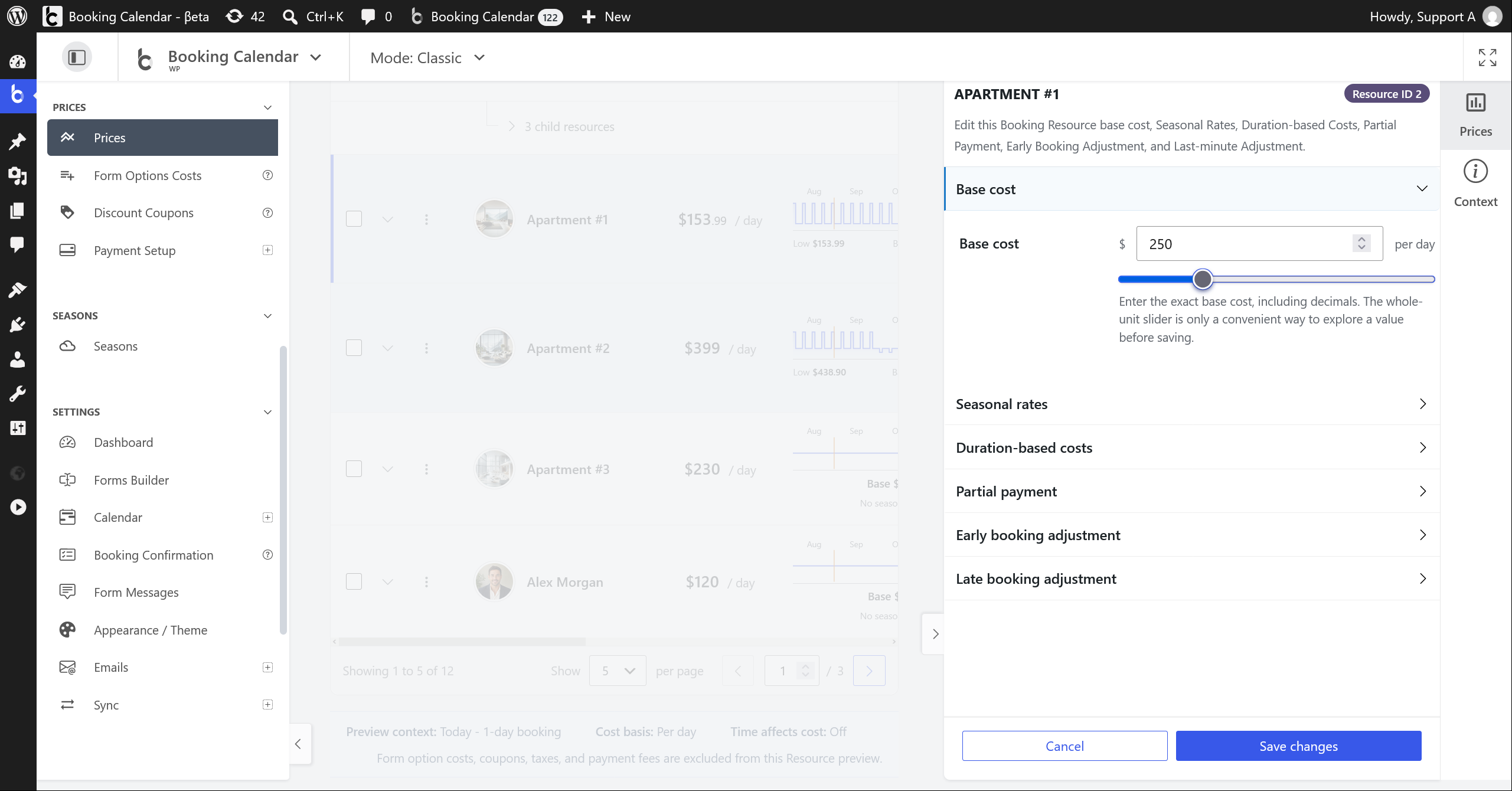
Why use it: Use Base Cost to define the normal starting price for this Resource before date, duration, deposit, and booking-time adjustments are applied.
Enter an exact Resource price, including decimals, or use the synchronized slider. The inspector also shows the owner currency and charging period that control how the value is understood.
Seasonal Rates
Minimum edition: Booking Calendar Business Medium or higher.
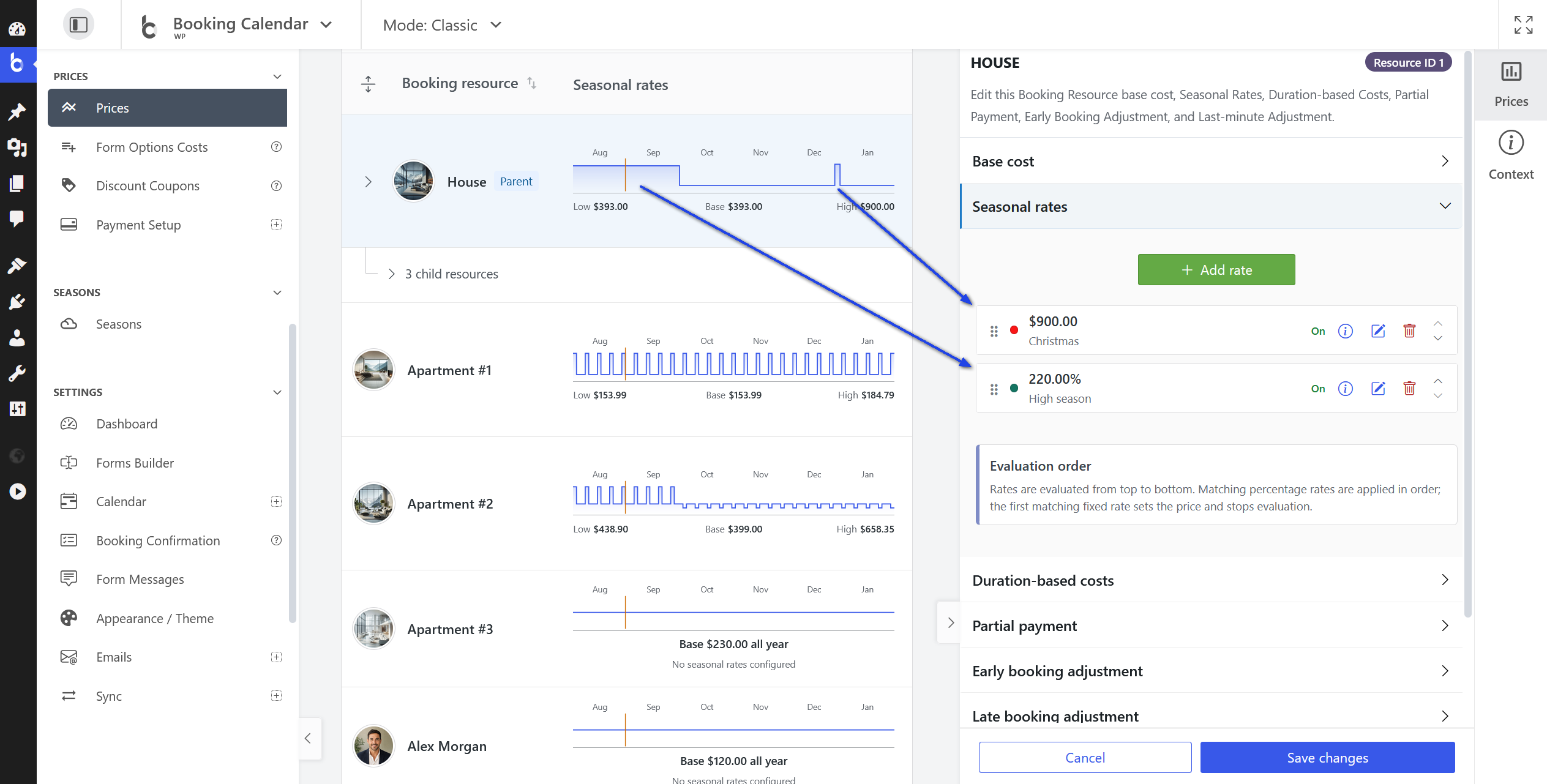
Why use it: Use Seasonal Rates when the same Resource should cost more or less on holidays, weekends, high seasons, or other reusable date periods.
Add fixed or percentage Seasonal Rates, switch saved rates On or Off without losing their settings, search authorized Seasons, and control evaluation order with drag or keyboard actions.
Duration-Based Costs
Minimum edition: Booking Calendar Business Medium or higher.
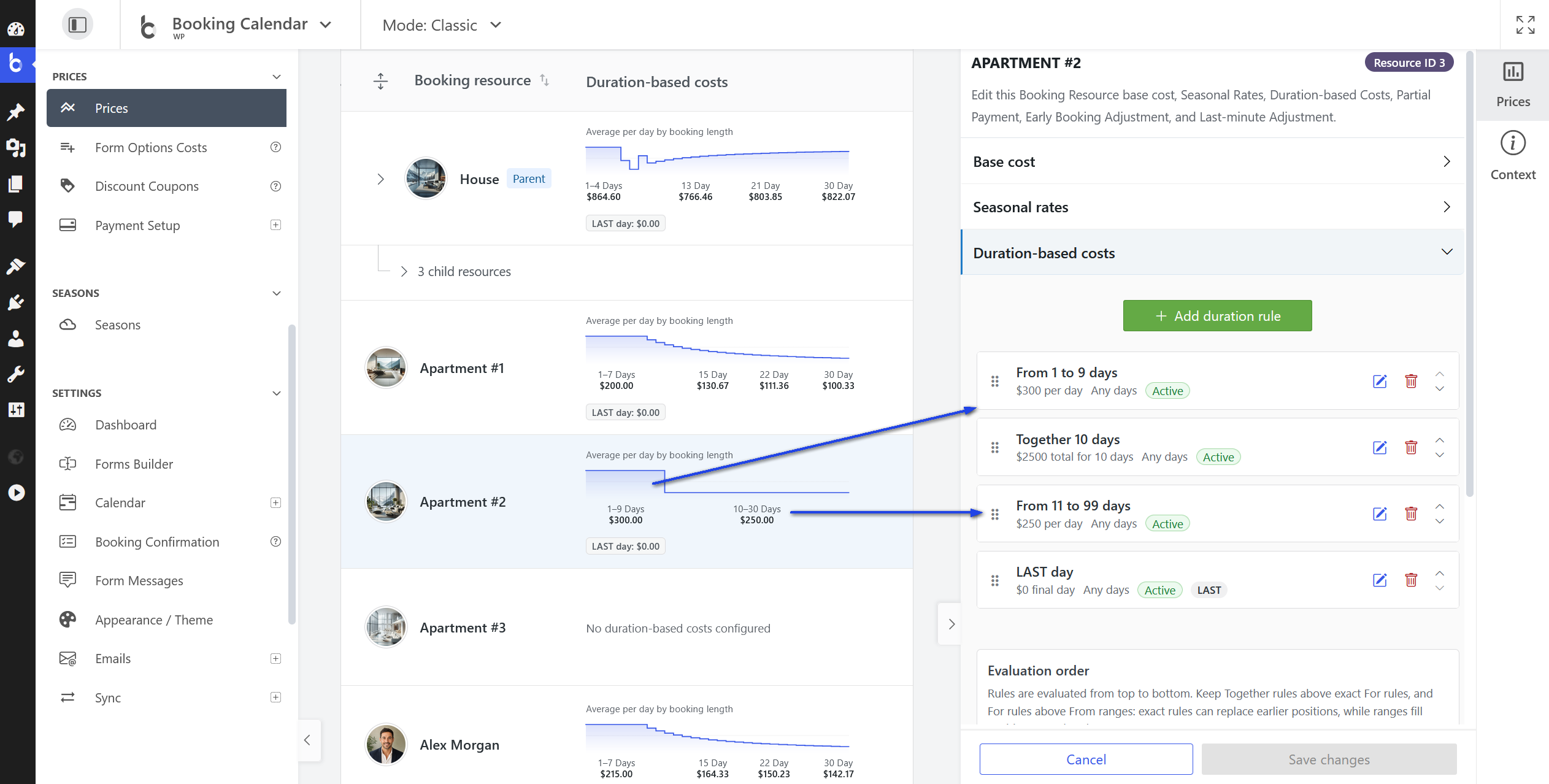
Why use it: Use Duration-Based Costs when the price should change according to how many days a customer books.
Build ordered From, For, Together, and LAST rules with fixed, percentage, or added amounts. Optional Season conditions, synchronized controls, and separate LAST-day previews make each rule easier to understand.
Partial Payment
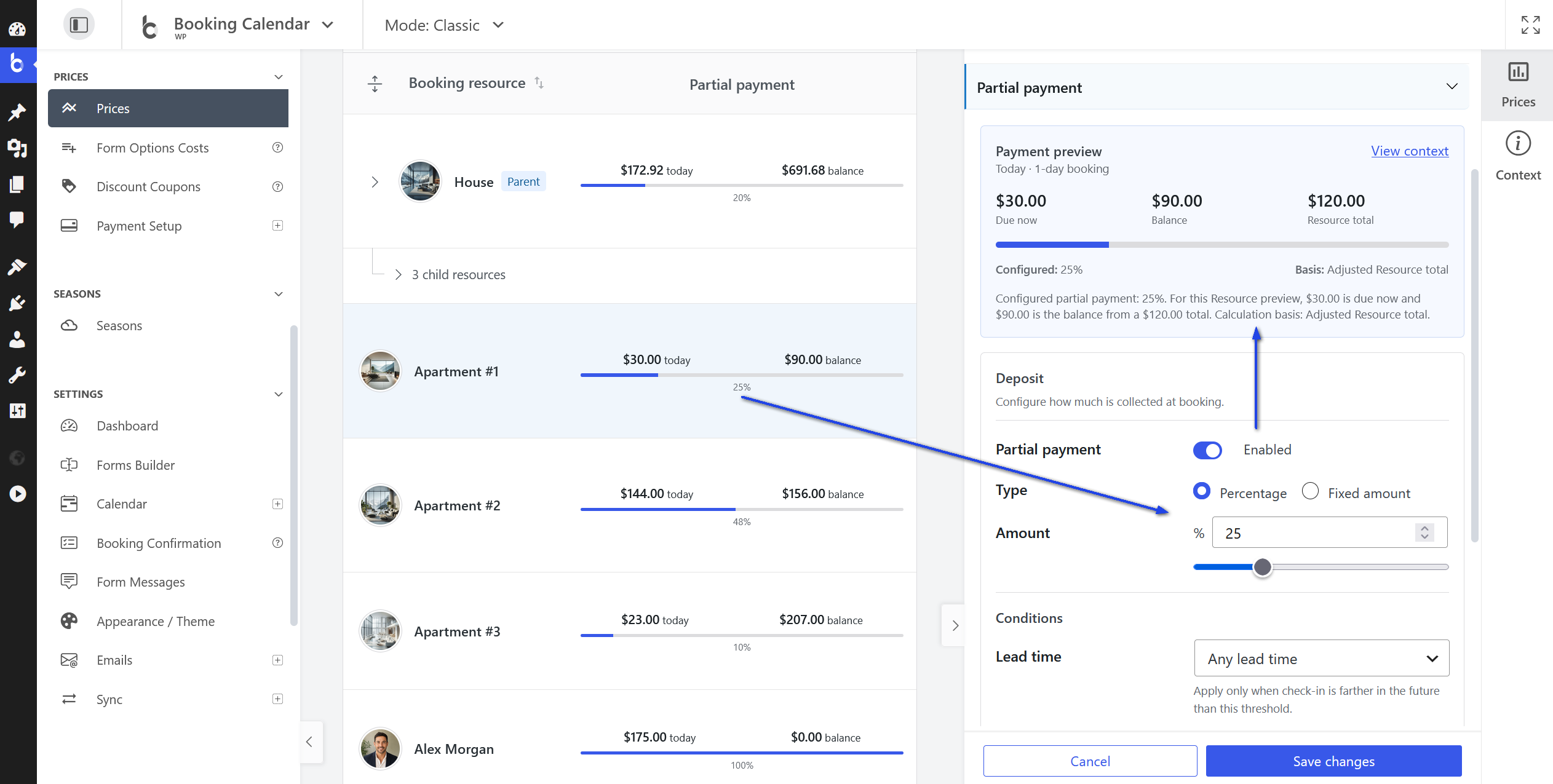
Minimum edition: Booking Calendar Business Medium or higher.
Why use it: Use Partial Payment when customers should pay a deposit at booking and the remaining balance later instead of paying the full total immediately.
Configure a percentage or fixed deposit with optional lead-time and Season conditions. The live preview separates the configured value from the amount currently due and shows the remaining balance and calculation basis.
Early Booking Adjustment
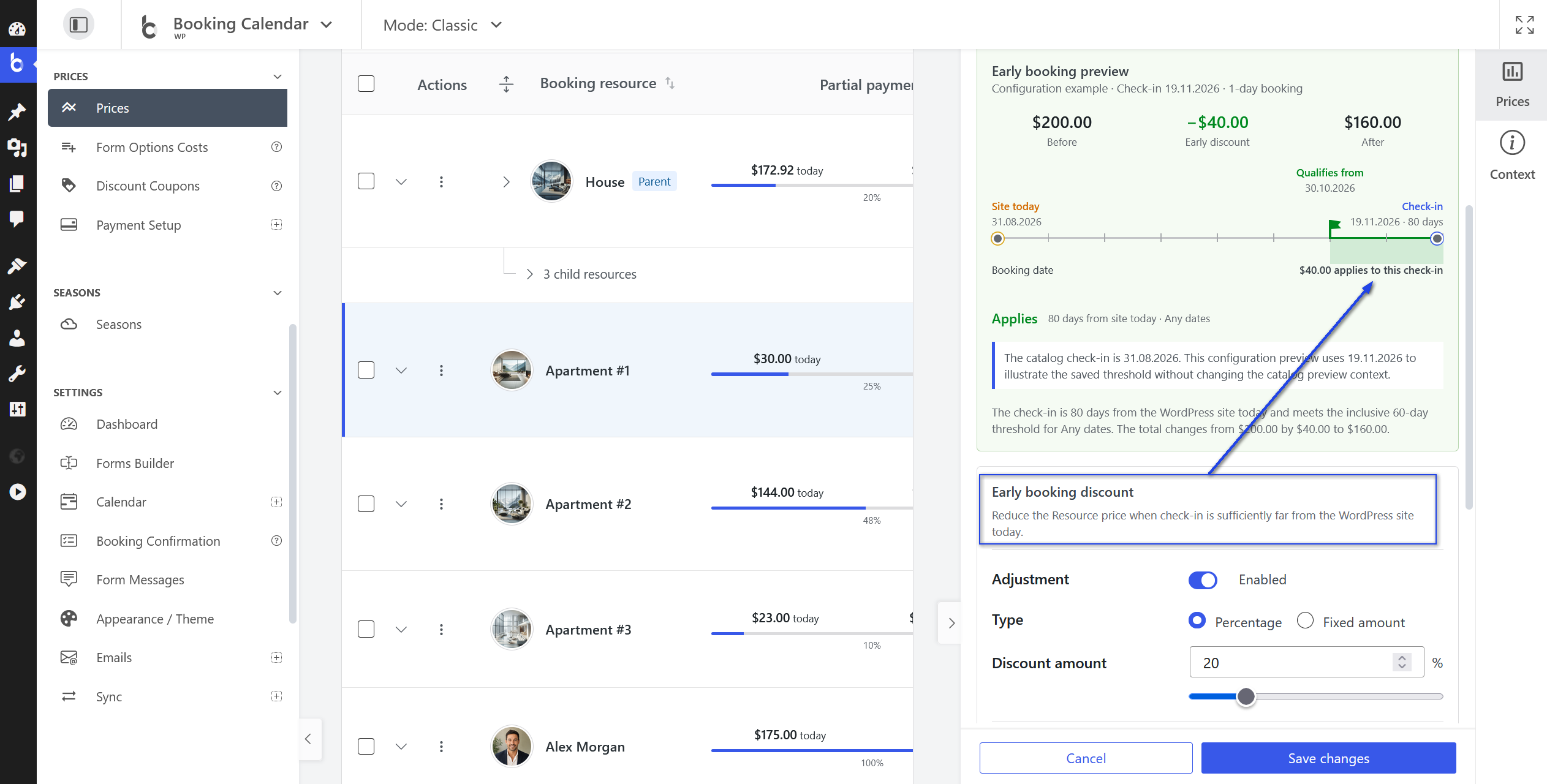
Minimum edition: Booking Calendar Business Medium or higher.
Why use it: Use Early Booking Adjustment to encourage advance reservations by reducing the price when check-in is sufficiently far away.
Offer fixed or percentage reductions for sufficiently early check-ins. The date ruler shows site today, the inclusive threshold, the selected check-in, and whether the authorized Season condition applies.
Late Booking Adjustment
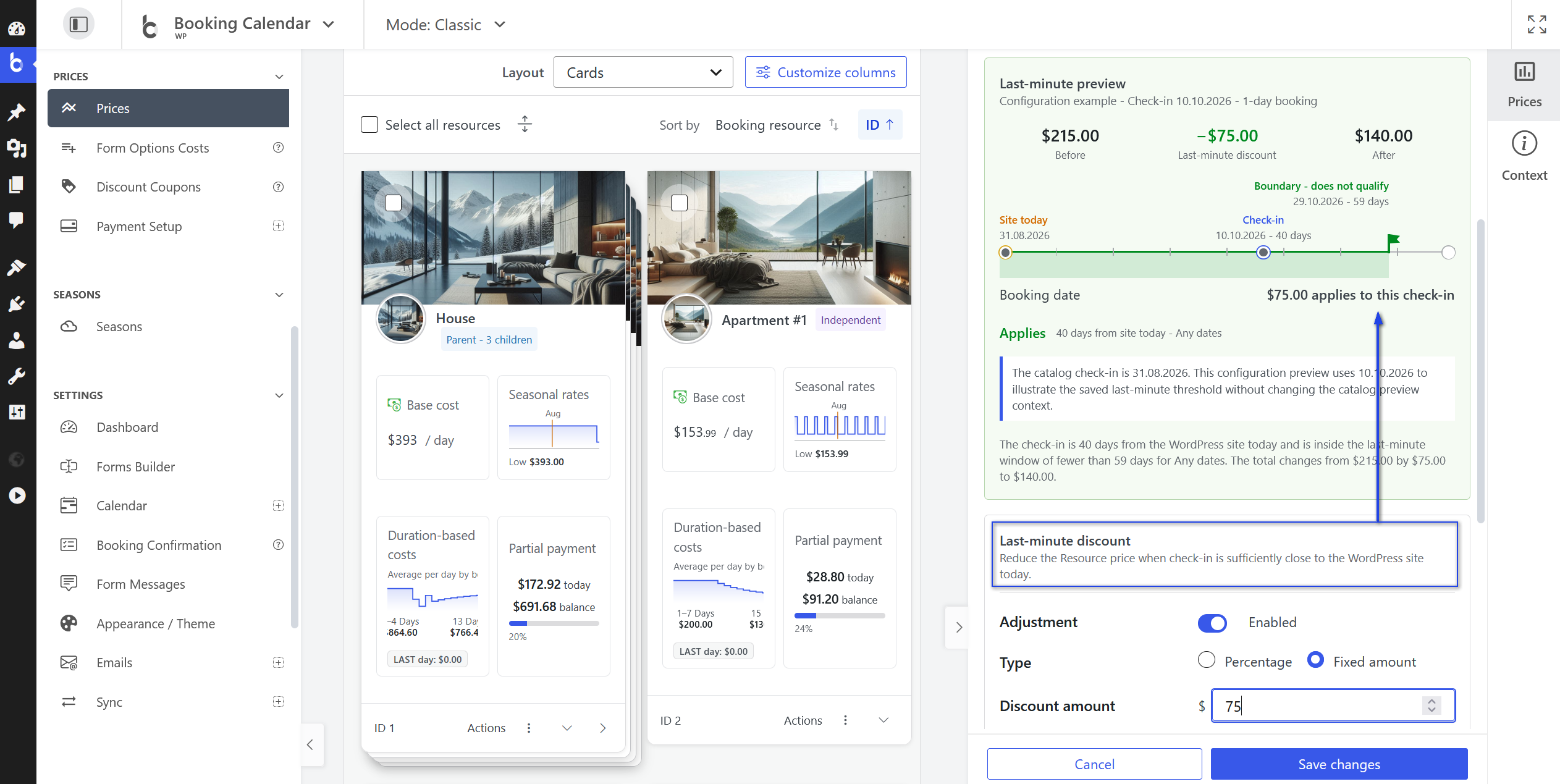
Minimum edition: Booking Calendar Business Medium or higher.
Why use it: Use Late Booking Adjustment to help fill near-term availability by reducing the price for check-ins inside a short booking window.
Offer fixed or percentage reductions for near-term check-ins. The preview clearly shows the inverse date range and exclusive boundary, while saving this section leaves Early Booking settings unchanged.
Clearer Left Sidebar Navigation
Minimum edition: Booking Calendar Free. This improvement is available in every edition.
Why use it: Use the grouped navigation to find administration pages faster and keep the current page visible in long menus.
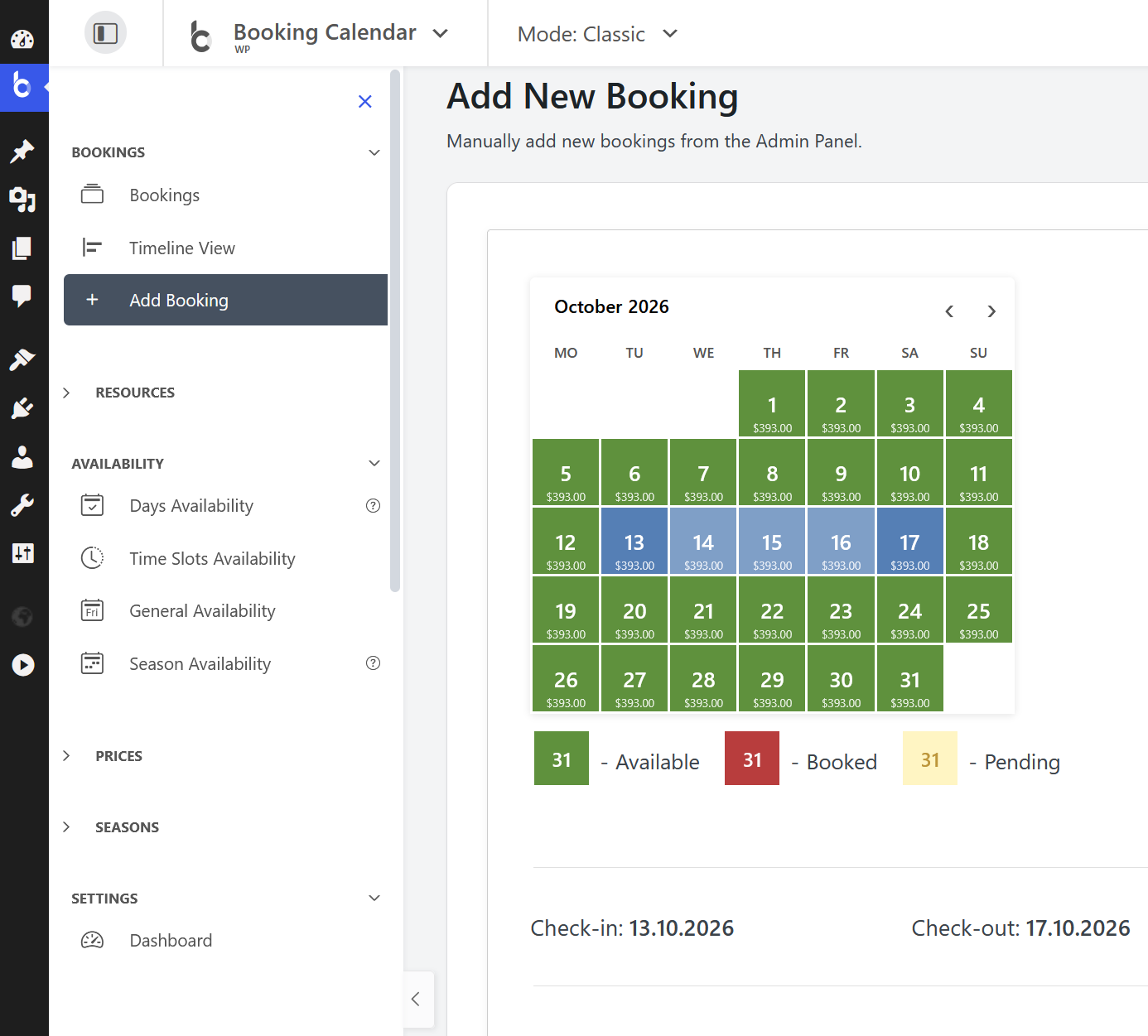
- The grouped left menu keeps Appointments, Services, Providers, Availability, Pricing, and Settings easier to scan while preserving the familiar WordPress administration area.
- Long menus automatically bring the exact current page into view, and the Minimize control now remembers and restores the visible sidebar state reliably.
More Improvements in 11.7
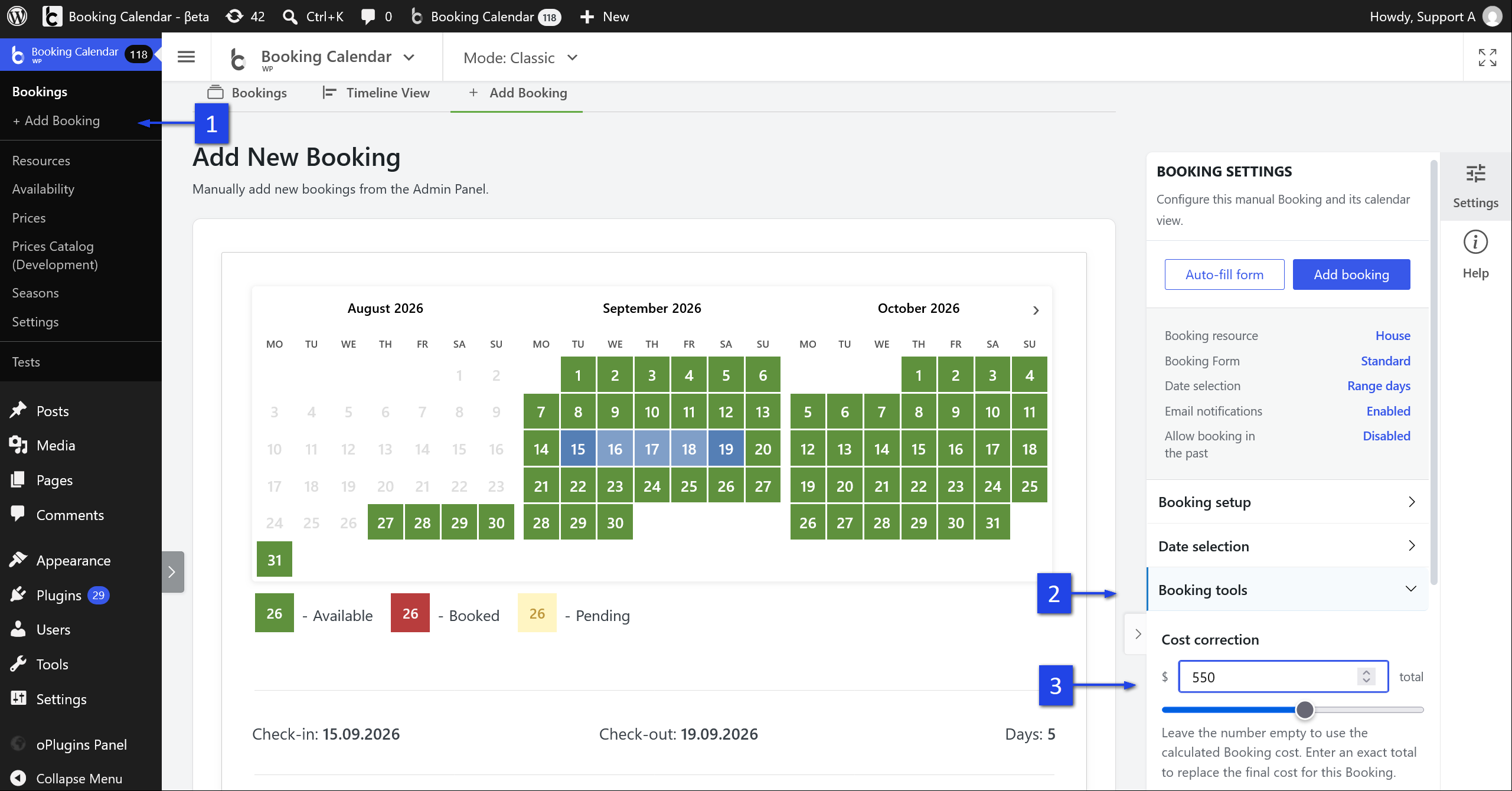
Minimum edition for Cost correction: Booking Calendar Business Small or higher.
Why use it: Use Cost correction when an administrator needs to replace the automatically calculated total for one manually created Booking or Appointment.
- Optionally set an exact final total while adding a Booking or Appointment. Leave the field empty to keep normal automatic pricing.
- Applied Cost corrections continue through the established deposit, balance, notification, and cost-note workflow.
- All editions: Full Screen preferences now remain consistent between Booking Calendar pages, including WordPress installations in subdirectories.
- All editions: Form Builder Select fields now keep Value different from label turned off after saving and continue synchronizing option values with their labels.
- Business Medium and higher: Prices Catalog editing keeps Changed indicators compact, and inspector actions retain readable icon spacing in left-to-right and right-to-left layouts.