


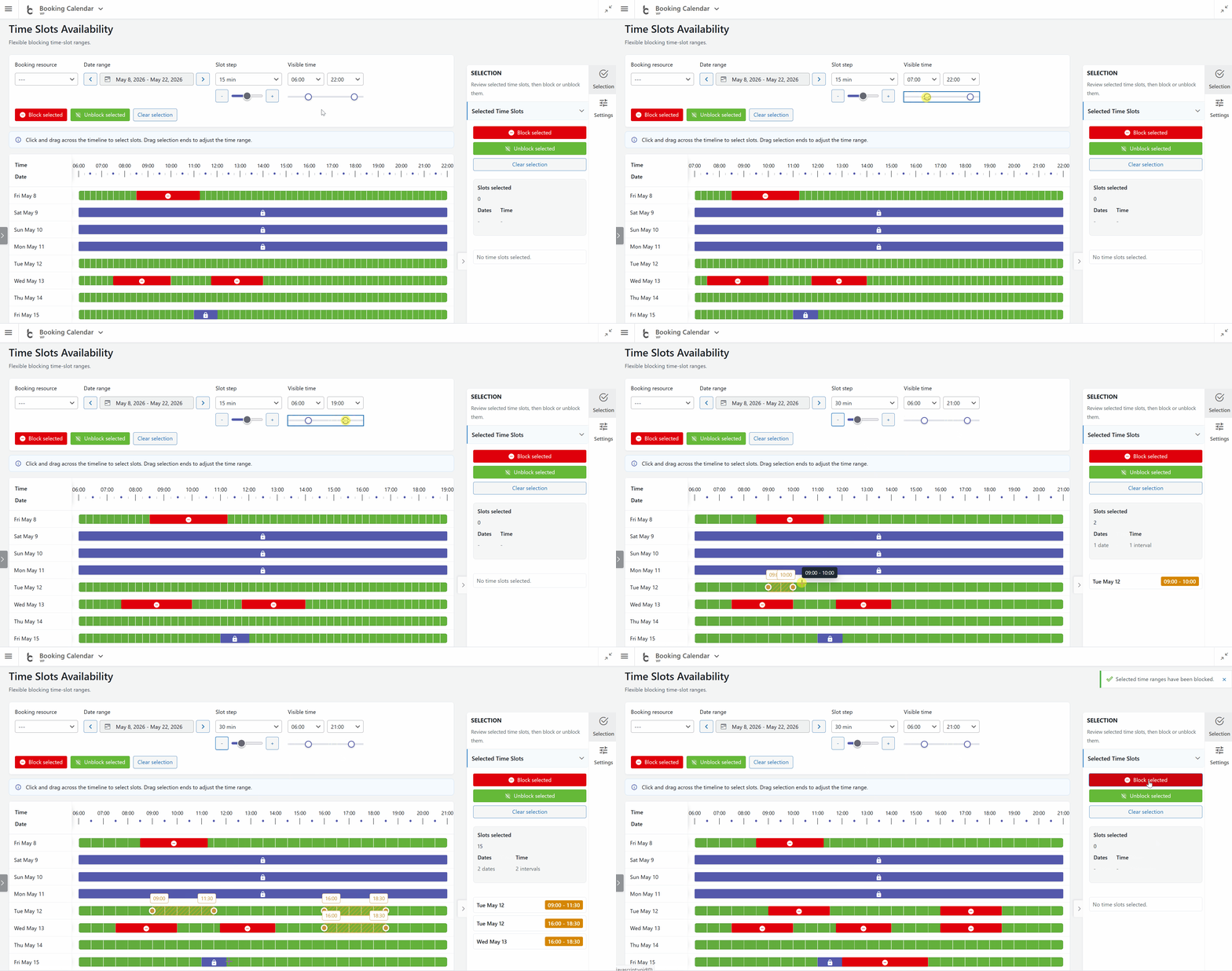
- Manage unavailable time intervals visually from Booking Calendar > Availability or directly from the bookings workflow using the new **Time Slots Availability** popup.
- Administrators can choose a date range and block or unblock exact time intervals in an interactive timeline. The timeline clearly shows available times, booked times, unavailable time slots, and full-day unavailable states, making it much easier to understand real availability at a glance.
- Administrators can also create a new booking directly from an available time interval. Simply select an available time slot in the popup, open the booking form with the selected resource, date, start time, and end time already prefilled, and save it as a new booking.
- This makes Booking Calendar especially useful for appointment scheduling, service bookings, consultations, rentals, and any workflow where administrators need to quickly review availability and create bookings from the WordPress admin panel.
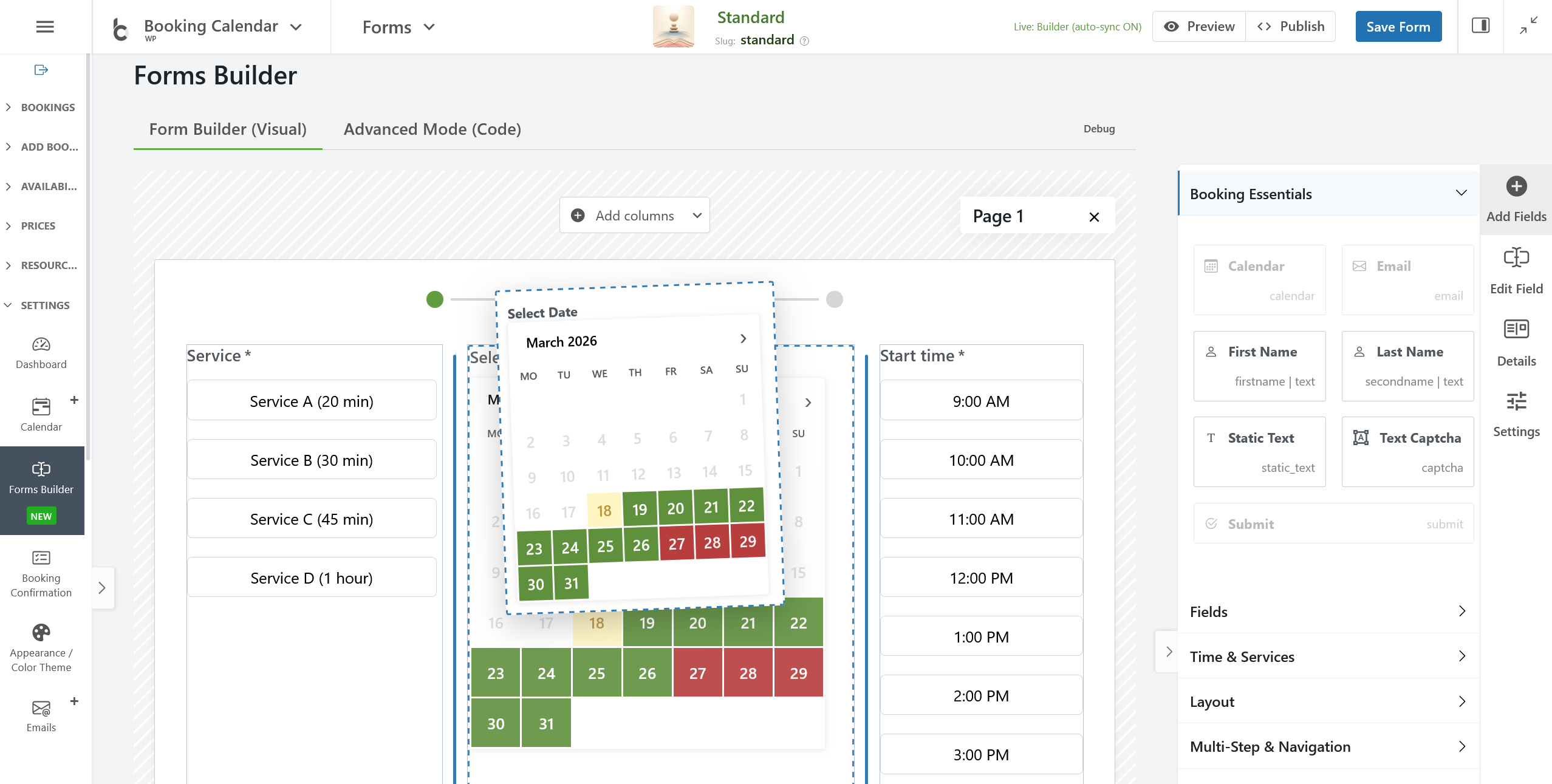



 New Multi-Step Wizard for Booking Forms with several columns (Free Version)!
 New Setup Wizard for Quick & Easy Configuration!