


Working Time
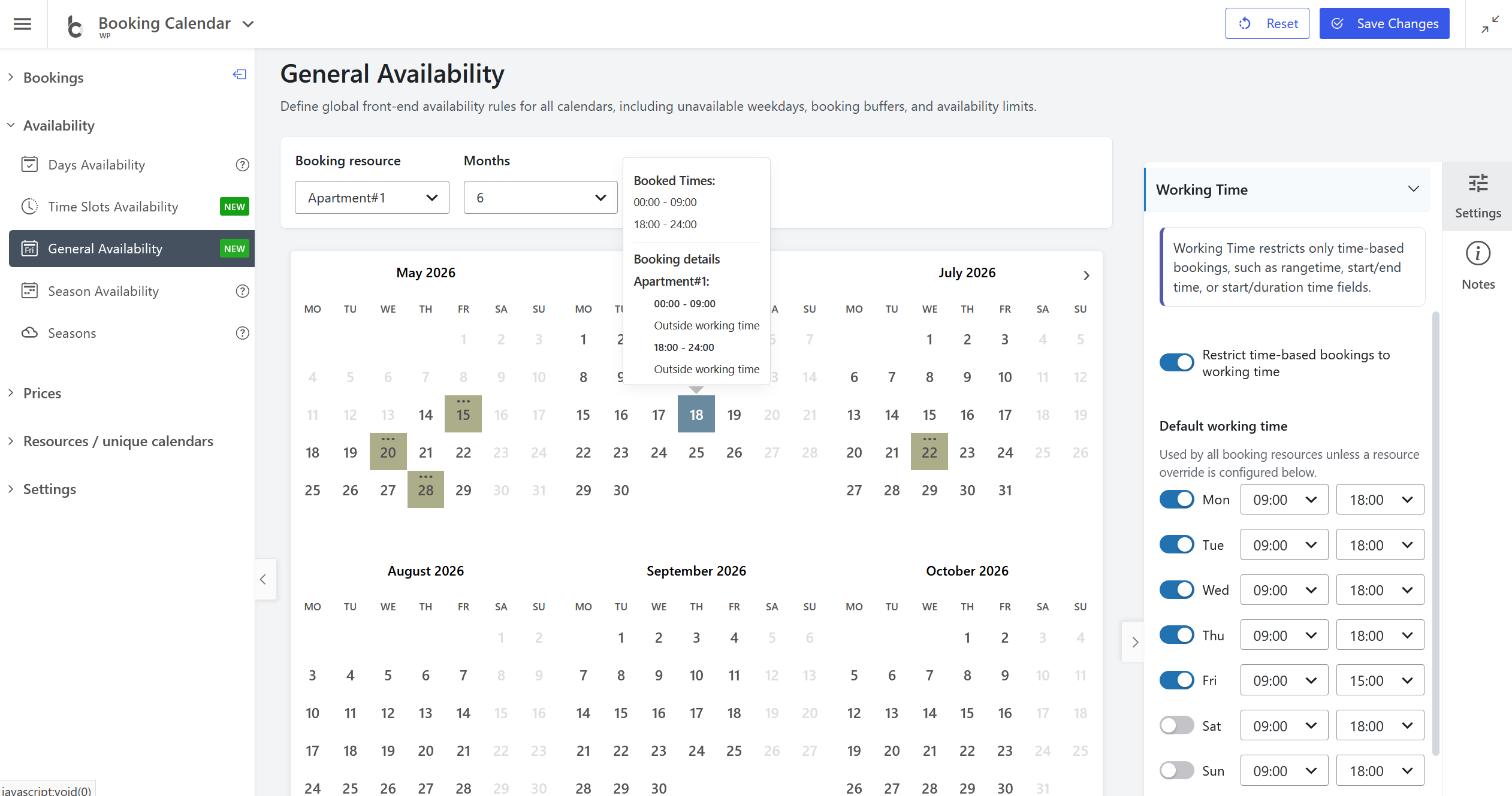
- • NEW: Added Working Time settings to Booking Calendar > Availability > General Availability, allowing administrators to restrict time-based bookings to specific working hours.
- • Designed for time-based booking forms: Working Time applies to booking forms that use rangetime, start/end time, or start/duration time fields.
- • Flexible schedule control: Define default working hours for each weekday, then optionally set custom working time rules for specific booking resources.
- • Clear availability timeline: Time outside working hours is shown in Time Slots Availability as read-only unavailable time, with links back to the related Working Time settings.
- • Cleaner front-end calendar display: Dates limited only by Working Time keep their tooltip information, while the calendar avoids showing partial-booking dots when there are no real bookings or manually blocked time slots.
- • Better editing workflow: When opening Working Time settings from the Time Slots Availability timeline, the General Availability page automatically expands and scrolls to the Working Time section.