


Redesigned Setup Wizard
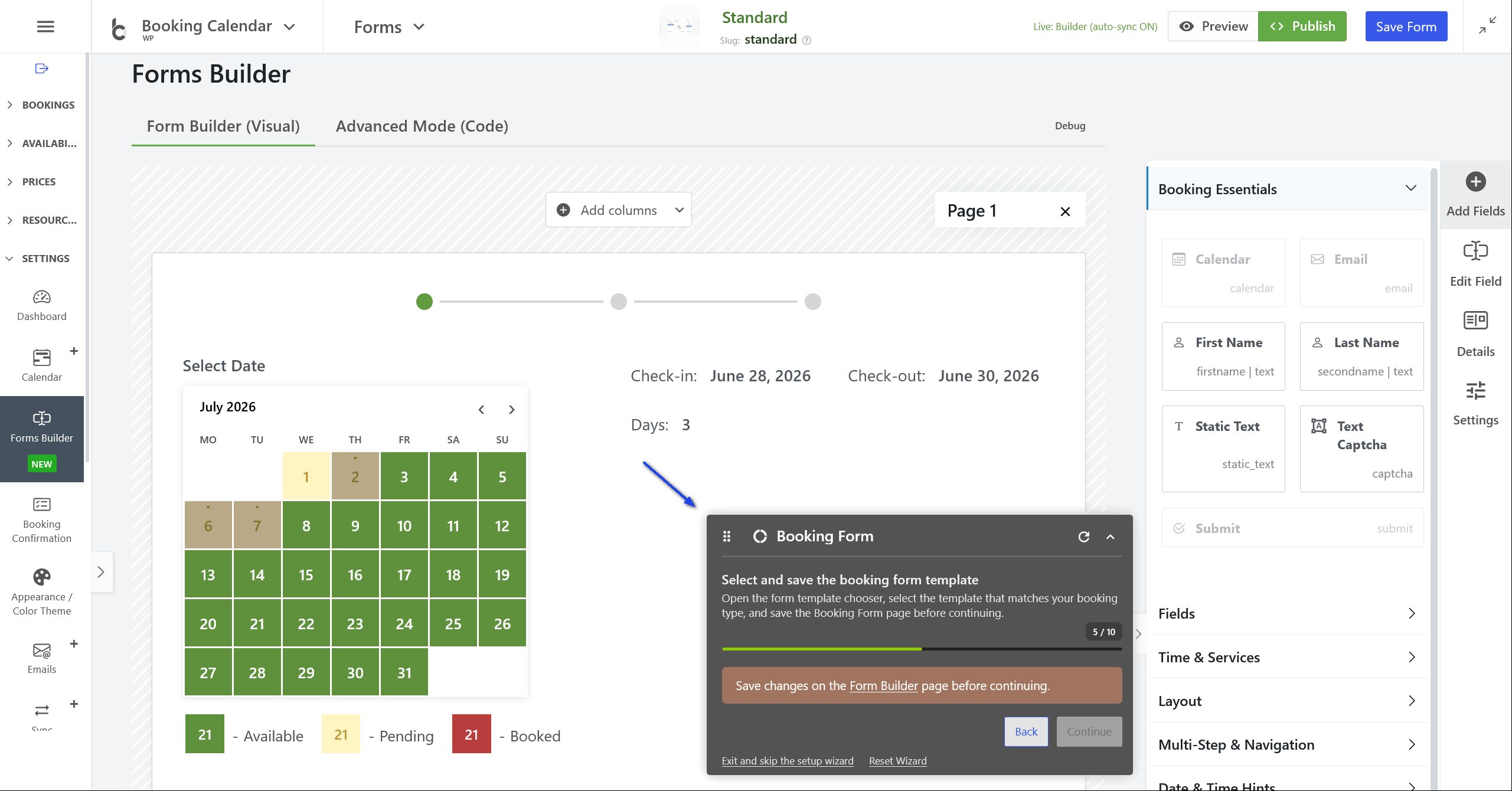
- • NEW: Redesigned the initial Setup Wizard with a floating Setup Bar that guides users through configuration directly on the relevant Booking Calendar admin pages.
- • Step-by-step setup flow: After choosing the booking type, the wizard opens the exact settings pages needed for form setup, date selection, availability, working time, color theme, and publishing.
- • Context-aware guidance: The Setup Bar shows the current step, progress, Back / Continue / Finish controls, and clear instructions for what should be configured on each page.
- • Smarter page assistance: Setup steps can automatically open, scroll to, and highlight the related settings section.
Floating Setup Bar
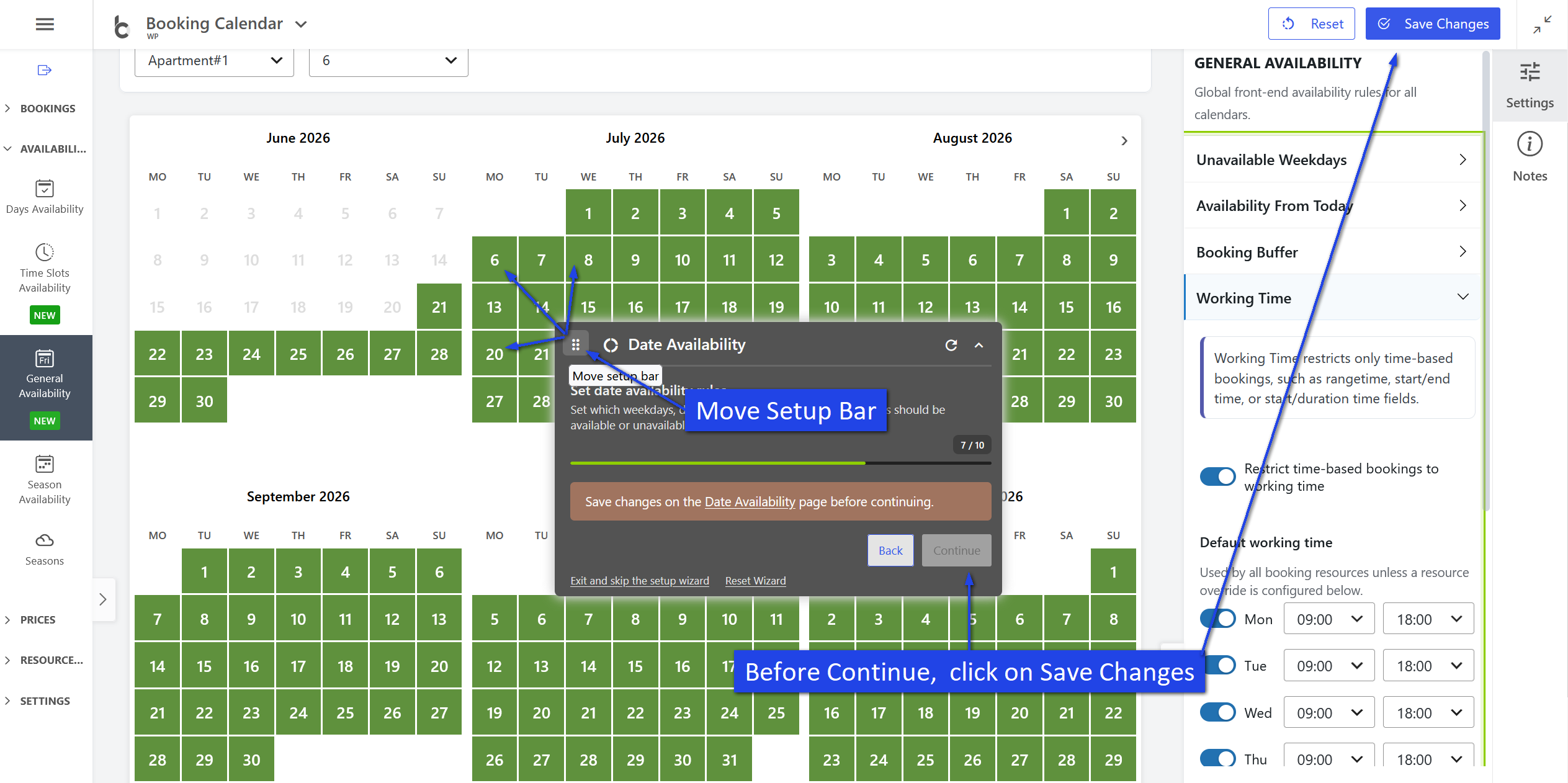
- • NEW: Added a floating Setup Bar available across Booking Calendar admin pages during setup.
- • Save-aware workflow: Steps that require saving now keep the Continue button disabled until changes are saved.
- • Flexible positioning: The bar can be collapsed, moved by drag and drop, reset to its default position, and automatically shifted away from right-side settings panels.
- • Reliable completion: Finishing or skipping setup now correctly hides the Setup Bar across all Booking Calendar admin pages.
Front-End Booking Form Popup
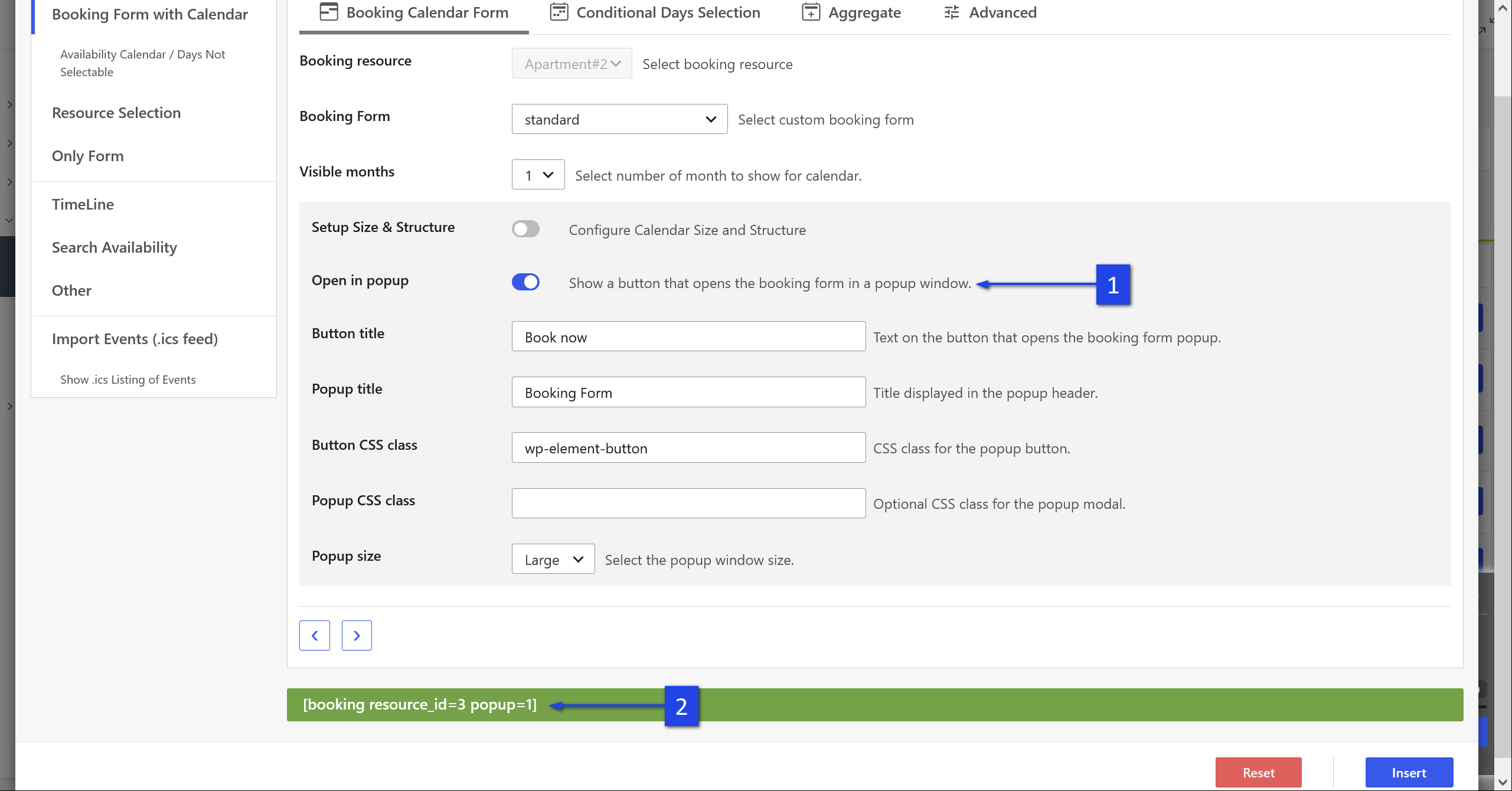
- • NEW: Added front-end popup support for booking forms using shortcode parameters.
- • Popup booking form shortcode: Use [booking resource_id=1 popup=1] to show a button that opens the booking form in a modal window.
- • Dedicated alias shortcode: Added [booking_popup] as a shortcut for popup booking forms.
- • Customizable popup display: Configure popup button text, popup title, custom CSS classes, modal class, and popup size.
- • Automatic assets loading: Required popup JavaScript and CSS are loaded automatically on front-end pages.
Time Slots Availability Improvements
- • Improvement: Improved the Create Booking for Selection workflow in the Time Slots Availability popup.
- • More reliable popup handoff: The Add Booking popup is now validated before the Time Slots popup closes, preventing cases where no booking form appeared.
- • Better multi-date selections: Dragged multi-date time intervals are now handled as explicit admin-selected time overrides during availability validation.
- • Cleaner JavaScript: Fixed deprecated jQuery warnings in the Time Slots Availability popup.
Reliability and Sync Improvements
- • Fix: Fixed a PHP 8+ fatal error on the Form Builder page when malformed legacy custom form data was stored incorrectly.
- • Fix: Improved Form Options Costs parsing for selectbox fields with quoted defaults. Available in Business Medium or higher.
- • Fix: Add Booking now correctly loads the default custom booking form assigned to the selected booking resource. Available in Business Medium or higher.
- • Fix: Fixed Early / Late Booking discount calculation so fixed form option costs are not incorrectly reduced to zero.
- • NEW: Added the Append extra day after imported checkout day option for .ics import sync rules.