


New Calendar Settings Page
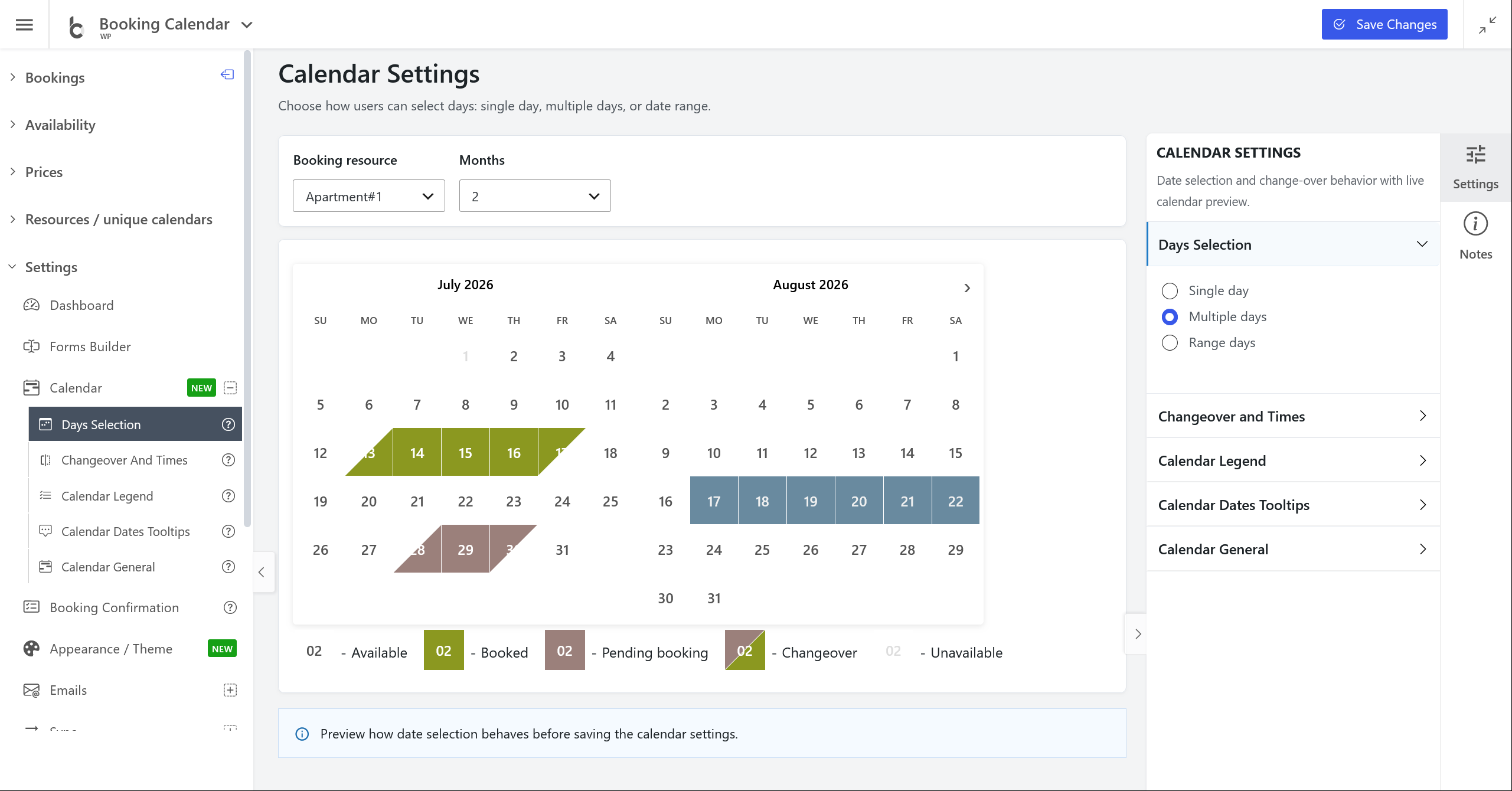
- • NEW: Added a dedicated Settings > Calendar page with a live calendar preview and right-side configuration panels.
- • Days selection preview: Configure single day, multiple days, range selection, start weekdays, and related selection rules while immediately seeing how the calendar behaves.
- • Changeover settings: Configure check-in/check-out changeover days, diagonal or vertical markings, recurrent times, and changeover exceptions from the same visual interface.
- • Calendar legend and tooltips: Show or hide the legend, edit legend item titles, and configure date tooltip content with instant preview updates.
New Appearance / Theme Settings Page
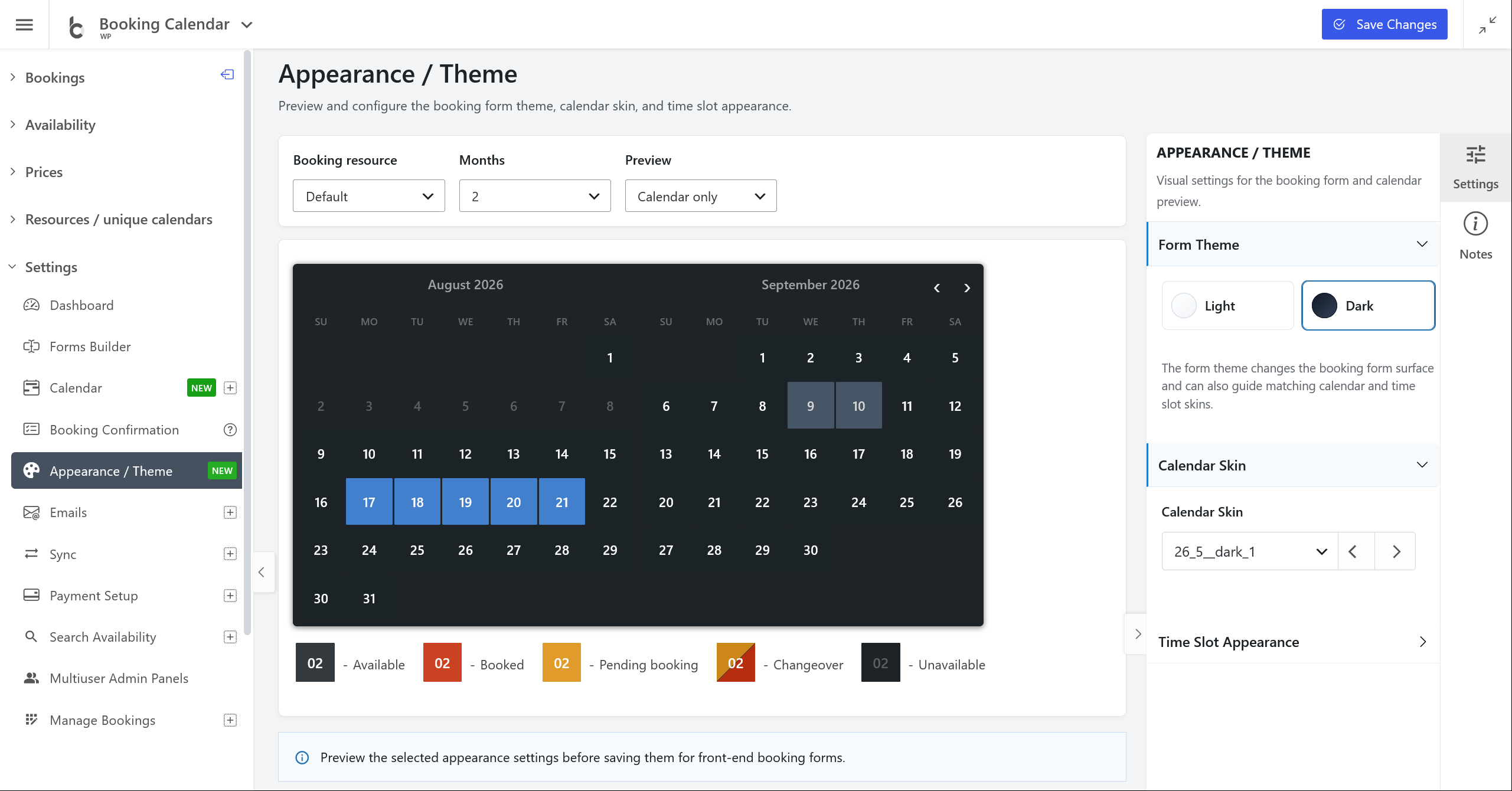
- • NEW: Added a dedicated Settings > Appearance / Theme page for configuring the calendar skin and booking form visual style.
- • Real booking form preview: Preview the real calendar and booking form using selected resources, month count, custom forms, and preview modes.
- • Theme controls: Switch between light and dark booking form themes, choose calendar skins, configure time picker appearance, and review the result before saving.
- • Cleaner settings experience: Legacy Appearance / Color Theme settings were replaced with a clearer visual workflow.
Setup Wizard Improvements
- • Improvement: Setup Wizard steps now open the new Calendar and Appearance / Theme settings pages instead of older settings screens.
- • Smarter changeover setup: Changeover workflows now include a dedicated Changeover Days step and continue through Date Availability, Color Theme, Publish, and Booking Listing.
- • Better Setup Bar positioning: The floating Setup Bar moves to a better default top position on visual settings pages, while preserving any user-dragged position.
Resources and Admin Workflow
- • NEW: Moved capacity-related settings to Resources > Capacity Rules, keeping booking quantity and pending-day rules closer to resource configuration.
- • Improvement: Added a shared top path/status line across Booking Calendar admin pages for clearer navigation.
- • Improvement: Admin left sidebar and full-screen mode preferences are now saved per user, while special setup and builder workflows can still enforce their required layout.
- • Fixes: Improved Calendar preview saving, changeover rendering, legend refresh, tooltip settings, Setup Wizard routing, and Booking Listing email toggle persistence.