


New Global Booking Form Styles
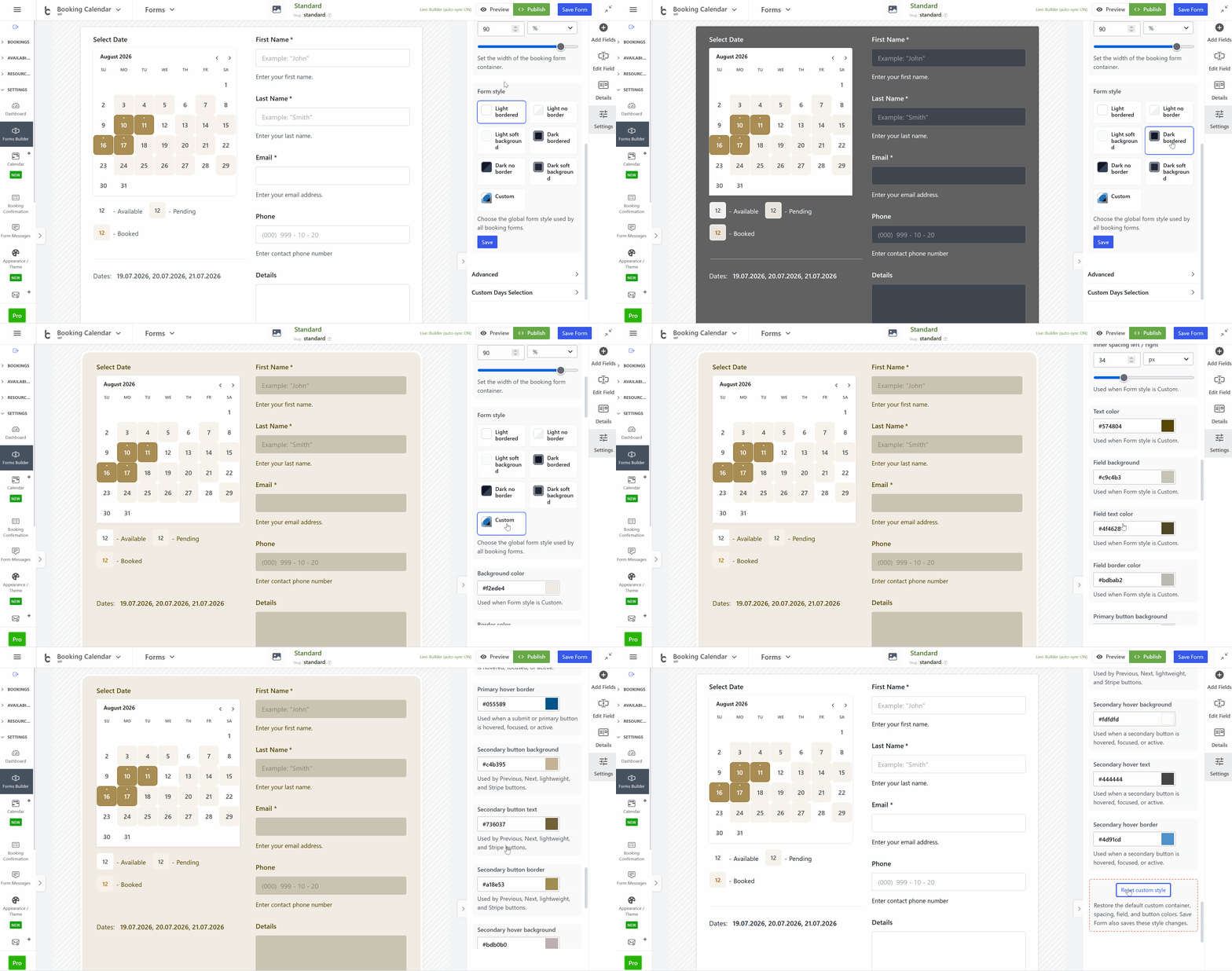
- • NEW: Added global Booking Form Styles with Light and Dark bordered, borderless, and soft-background presets, plus a fully configurable Custom style.
- • Complete appearance controls: Customize form backgrounds, borders, spacing, text, fields, focus states, checkbox and radio controls, and buttons.
- • Consistent live previews: Select and preview the same global Form Style in Settings > Appearance / Theme and the Booking Form Builder.
- • Unified front-end design: Form styles now apply consistently across booking forms and supported payment buttons while preserving PayPal branding.
Two-Click Date Range Selection
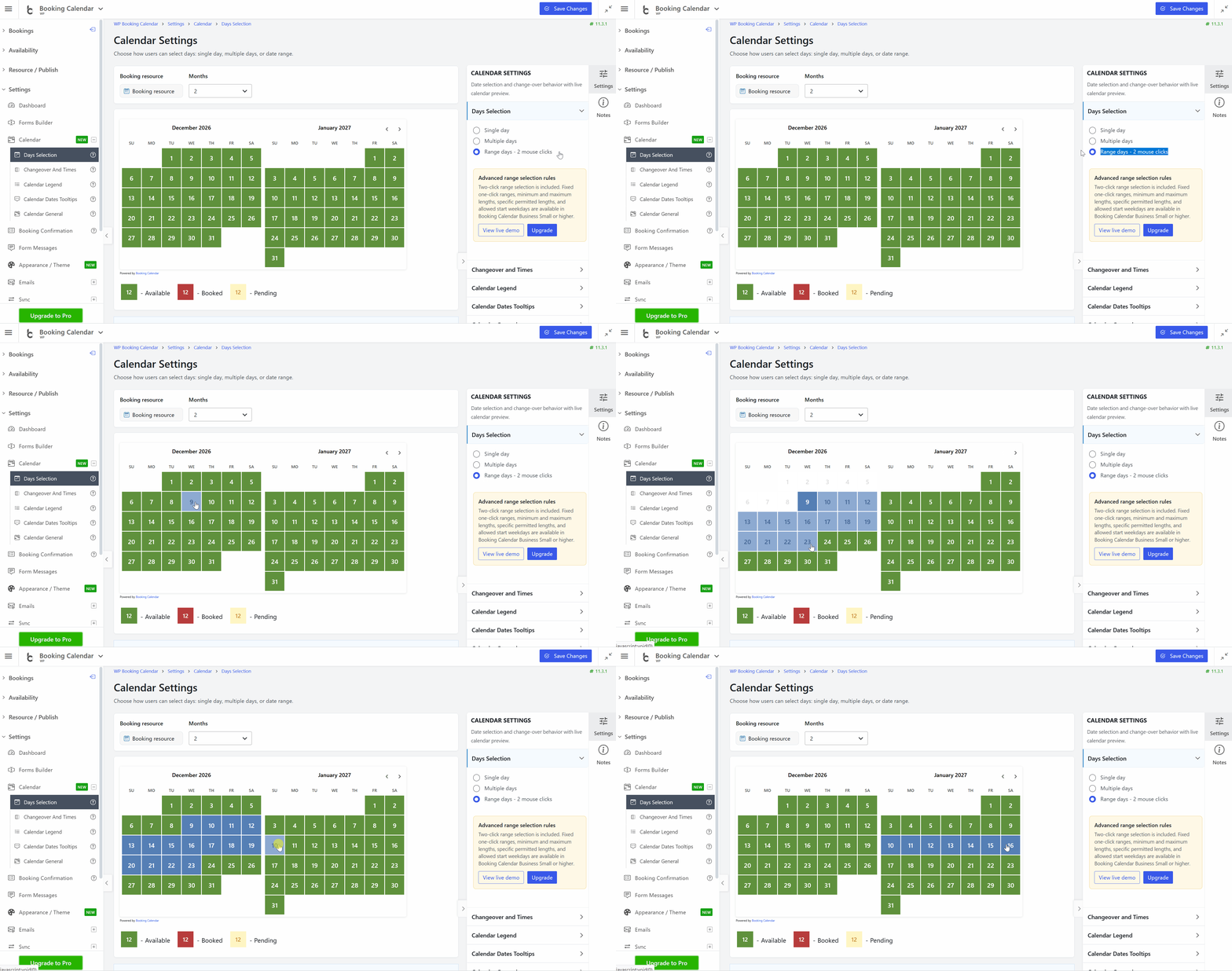
- • NEW: Added two-click date-range selection in Booking Calendar Free and higher editions, allowing visitors to select the first and last booking dates.
- • Clear visual selection: Available dates and the prospective date range are highlighted while visitors move through the calendar.
- • Better visitor guidance: Added clearer instructions for completing a range and more useful feedback when it contains unavailable dates.
- • Faster full-day setup: Two-click range selection is now the default when Full Day Booking mode is activated in the Setup Wizard.
Centralized Form Messages
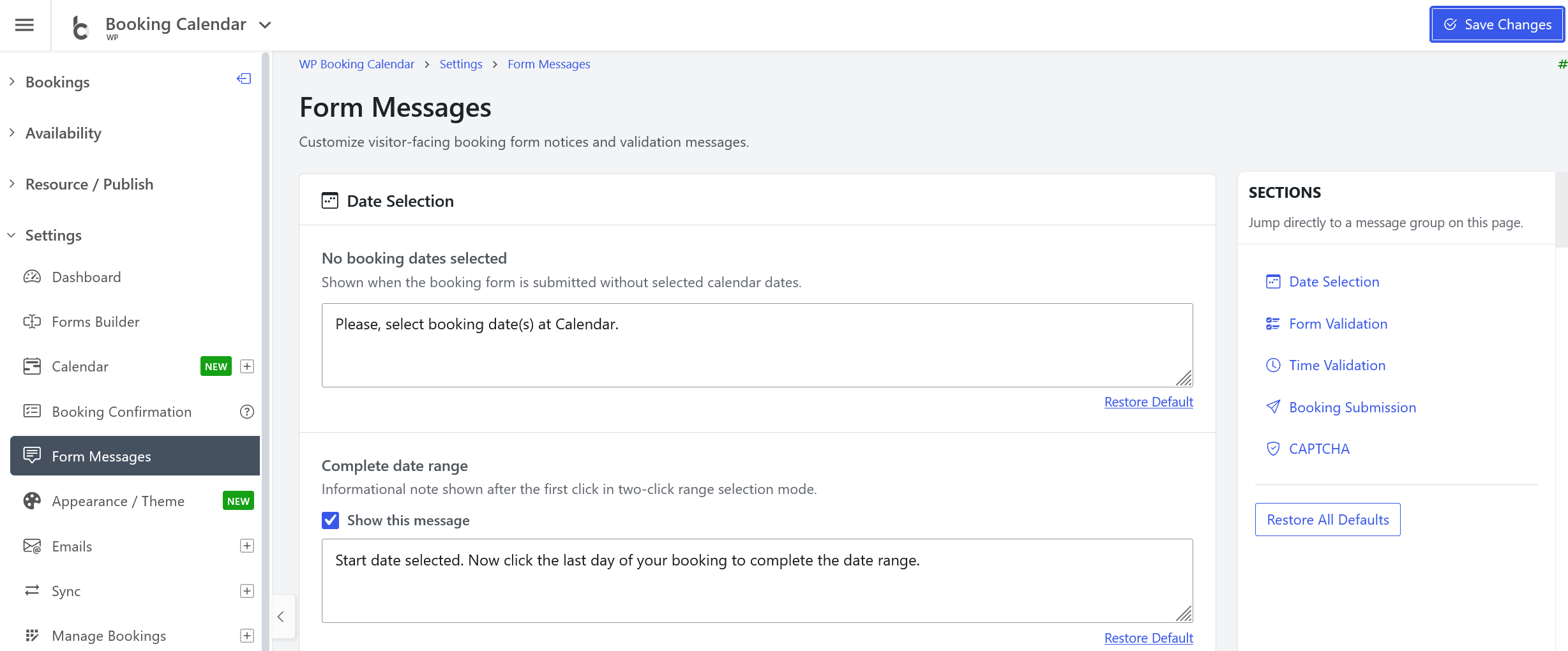
- • NEW: Added a dedicated Form Messages settings page for date selection notices, validation errors, submission messages, and other visitor-facing text.
- • Multilingual messages: Customize messages with [lang=LOCALE] language shortcodes while keeping translated plugin defaults.
- • Simpler settings workflow: Edit all message groups on one page, use quick section navigation, restore defaults, and save with AJAX notifications.
Streamlined Form Builder Workflow
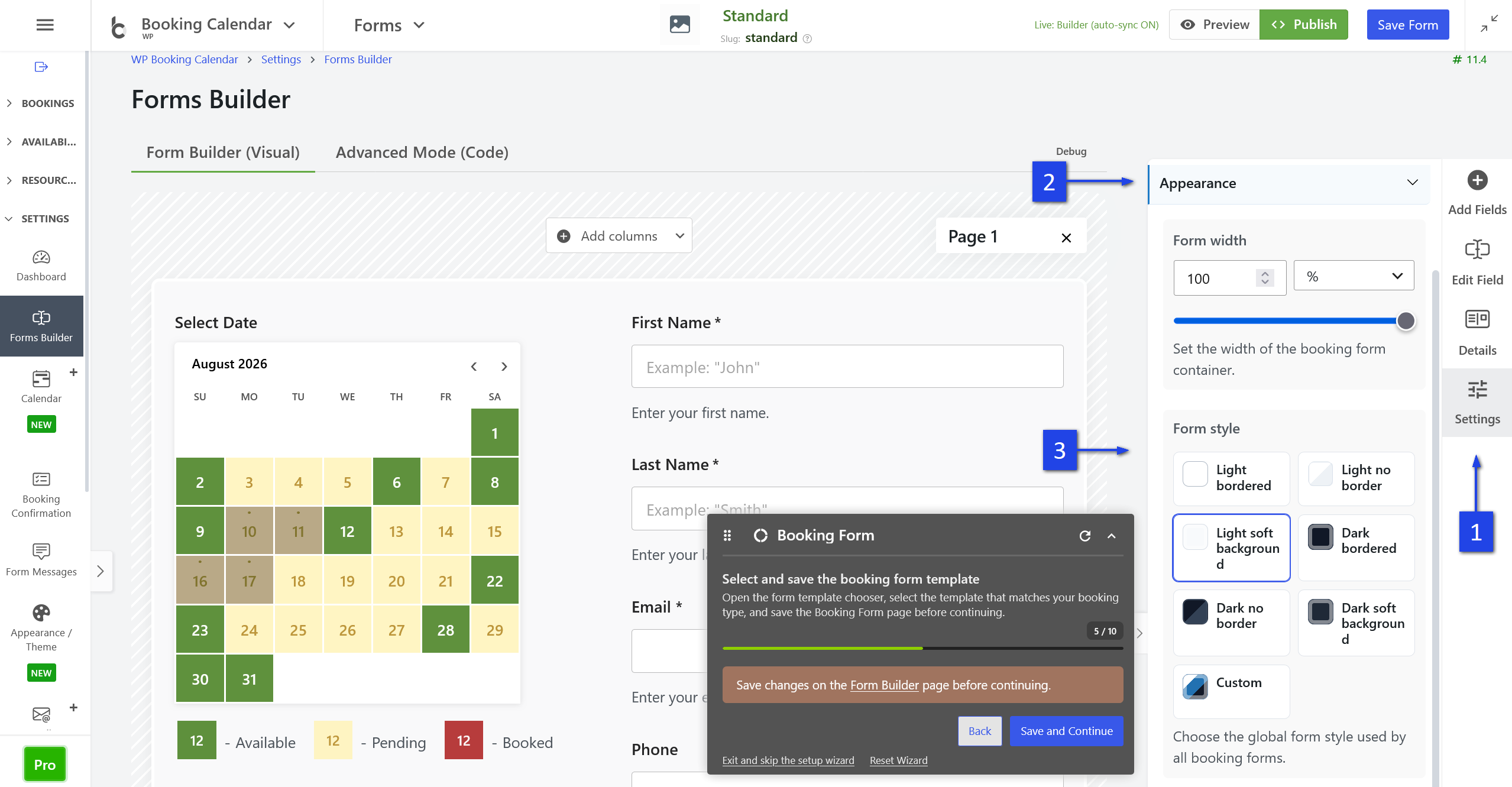
- • Modernized form configuration: Removed legacy Booking Form settings pages and routed form configuration to the Booking Form Builder.
- • Safe legacy migration: Existing Simple and Advanced legacy forms are imported into the Booking Form Builder during updates.
- • Setup Wizard improvement: Added Save and Continue and limited visual highlighting to the settings relevant to the current setup step.